
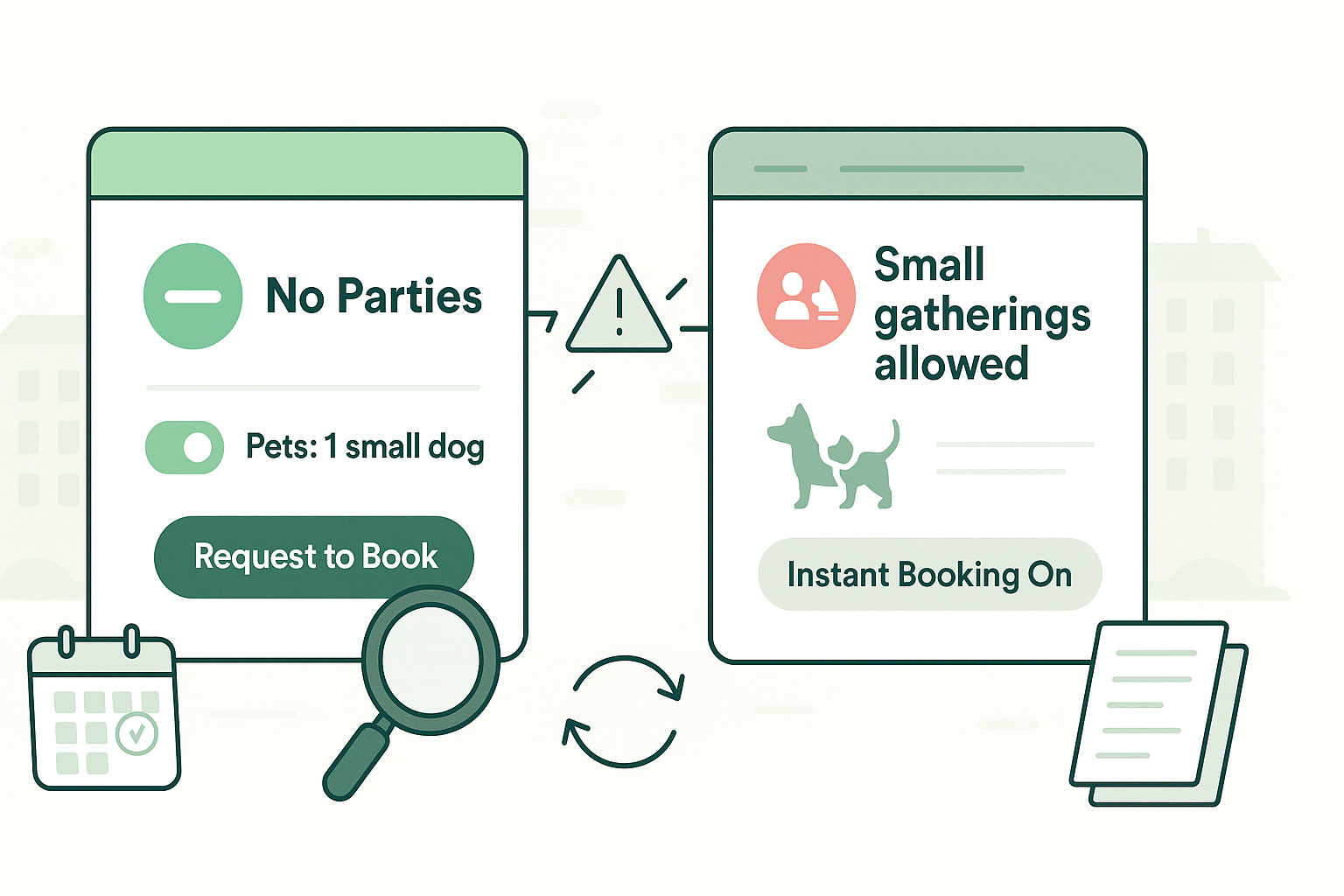
A rental rules mismatch happens when the rules you set in your host dashboard do not match what guests see on your live listing. You think you are set to no parties, approval-only bookings, and strict pet limits, but your listing tells a different story. That gap leads to surprise gatherings, long stays you never allow, or extra pets you did not approve. Guests arrive convinced they are following the rules because they have screenshots to prove it. You are left dealing with stress, penalties, and a damaged reputation.
This guide explains what a rental rules mismatch is, why it happens, and how to stop it from hurting your business. You will see how house rules not showing correctly creates disputes where guests and platforms side with the visible listing, not your intentions. Then we will walk through a short checklist you can use after any major change, plus simple safeguards using tools like AdvanceCM so your rules stay consistent across channels instead of drifting over time.
How a rental rule mismatch shows up in real bookings
The most obvious sign of a rental rules mismatch is when a guest breaks a rule and sends a screenshot that appears to prove they are right. A host may choose “no parties of any kind” in the backend, yet the public listing softens it to “small gatherings allowed” or similar language. From the guest’s point of view, they are honoring the agreement on the booking page. When support reviews the case, they start with the live listing, not your dashboard.
A second version of rental rule mismatch shows up around instant booking, pets, and stay length. You set a 24-hour review window, but the system flips to instant booking and lets a risky stay confirm without a single message. You allow one small dog, yet the listing shows space for two pets, and both a small and a large dog arrive. Or you avoid monthly rentals, but the platform still accepts a one-month booking. Underneath all of these, the same pattern appears: house rules not showing the way you configured them.
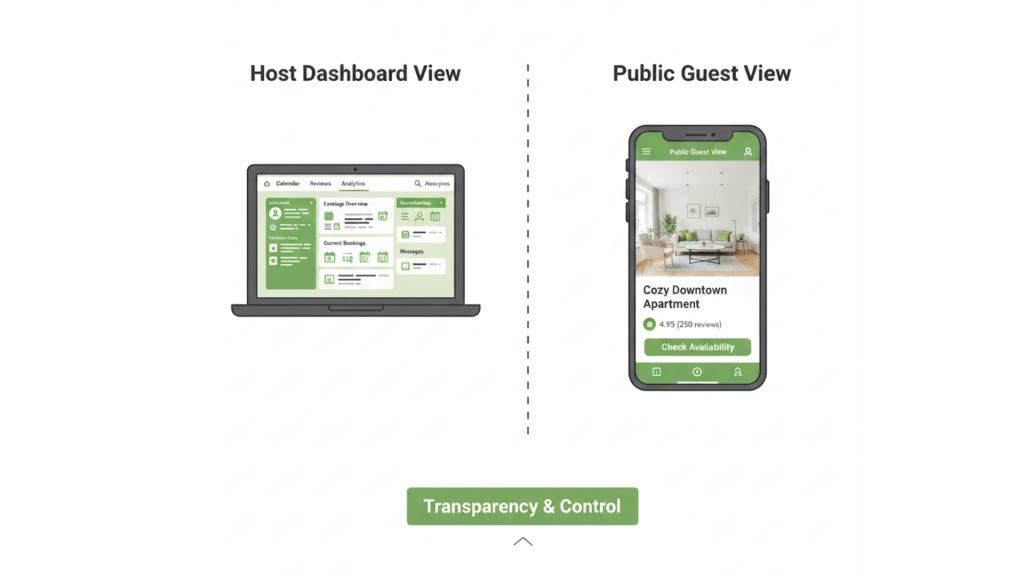
When your settings say “no parties” but the public listing allows gatherings, that rental rules mismatch puts guests and hosts on completely different pages
Parties, screenshots, and rule disputes
Party mismatches hurt fast because noise and extra guests trigger complaints.
- Guests rely on screenshots of the listing to justify gatherings.
- Platforms treat the visible listing as the contract in most disputes.
- One event can sour neighbors and future reviews for months.
Instant booking, pets, and stay length
Quiet settings changes in your booking flow create slow-burn problems.
- Instant booking turns on and removes your vetting step.
- Pet rules shift, so guests think extra or larger animals are allowed.
- Minimum or maximum stay changes invite long stays you never wanted.
Why a rental rules mismatch happens in the first place
A rental rules mismatch often comes from how platforms rebuild your listing from multiple fields and templates. Small wording changes or new defaults can soften strict rules to sound more “guest friendly.” Major OTAs even explain that house rules exist to avoid surprises, yet the way they structure those rules can still create confusion. Vrbo’s own help center describes house rules as a way to show what is and is not allowed before guests book, so misalignment between that page and your settings is a real problem. Vrbo Help
If you use more than one channel, the odds of house rules not showing correctly go up. One site may support detailed custom rules while another only uses basic toggles, so your channel connection has to translate. Sync delays or manual edits made directly on individual platforms also create drift. You only notice the rental rules mismatch when a booking arrives under one set of terms and you try to enforce another.
Platform changes and default overrides
Product teams tweak layouts, categories, and defaults all the time, and that can quietly change your rules.
- New rule categories may push older rules into different buckets.
- Updates can reset defaults like pets allowed or booking method.
- “Helpful” template text may soften your no-party language.
Multi-channel mapping problems
Multi-channel tools are powerful but need discipline to avoid house rules not showing consistently.
- Some rules do not map one-to-one between platforms.
- Policy updates may sync more slowly than rates and availability.
- Editing rules separately on each OTA multiplies chances for mistakes.
What a rental rule mismatch really costs you
A rental rules mismatch can hit your income directly. If you cancel a risky instant booking that slipped through, you can lose the payout and be charged a cancellation fee. If a party sneaks in because your listing looked permissive, you may face extra cleaning, repairs, or even fines from a building or HOA. Industry guides on vacation rental house rules point out that inconsistent rules lead to more disputes, refunds, and damage. minut.com+1
The less visible cost is time, stress, and loss of control. You spend hours documenting screenshots, messaging support, and calming upset guests or neighbors. When house rules not showing correctly becomes a repeated pattern, you begin to feel like the platform can rewrite your business overnight. That pressure makes it tempting to accept bookings you are not comfortable with, just to avoid another fight.
Money out the door
Some costs are obvious; others sneak into your numbers slowly.
- Cancellation fees or lost payouts for dates you could have sold.
- Empty nights after canceling a problematic stay at the last minute.
- Discounts or refunds to keep guests quiet after a rule dispute.
Guest expectations and reviews
Guests act on what they saw when they booked. Airbnb’s ground rules for guests, for example, expect them to follow house rules, respect neighbors, and avoid disruptive gatherings, but their expectations still start with the listing they read. Airbnb
- If the listing appears to allow something, guests feel misled when you push back.
- Support will often ask, “What did the guest see at booking time? “First.
- Reviews mentioning “confusing rules” drag down performance long after you fix the glitch.
Simple system to prevent rental rule mismatches on every channel
The good news: you can catch most rental rule mismatch issues with a short routine. Treat it like a pre-flight check you run after big changes or new integrations. Ten minutes here is cheaper than a weekend of dealing with surprise parties or unapproved pets. This is especially helpful if you have already seen house rules not showing correctly before.
Centralizing your rules in a tool like the Channel Manager inside AdvanceCM gives you one source of truth. You set policies once, push them out everywhere, and then spot-check that each listing matches what you intended. Over time, this setup makes another rental rule mismatch far less likely.
Step 1 – Check what guests actually see
Open your own listing like a traveler: incognito window, different browser, or a friend’s device. Compare the public rules to your dashboard.
- Make sure party, event, and extra-guest wording lines up.
- Confirm whether it clearly says “instant booking” or “request to book.”
- Verify pet limits and stay length settings match your plan.

Make a habit of opening your own listing like a guest on desktop and mobile so you can catch rule mismatches before they turn into real bookings
Step 2 – Walk the booking flow and take screenshots
Start a test booking without paying and watch for rule summaries on each screen.
- Capture screenshots anywhere the rules look different from your settings.
- Save them with dates and notes so you are ready if you need support.
Step 3 – Centralize, document, and review
Reduce the places where a rental rules mismatch can slip in.
- Use one system as your policy hub and avoid random edits on each OTA.
- Keep a simple document listing your non-negotiable rules across channels.
- Schedule a quick quarterly review, especially before peak seasons.
Safeguards to keep your rules tight long-term
Once your listings match your settings, build a few habits so house rules not showing never becomes a recurring fire drill. For example, run your three-step check after any major platform update, new integration, or big policy shift like allowing pets or longer stays. If you manage several properties, assign one person to own rules and consistency so it is always someone’s job to notice changes.
For higher volume operations, it can be worth leaning on automation and clear pricing. Features like messaging workflows and policy templates in tools such as AdvanceCM help repeat the same rules in every booking and reminder, not just on the listing. Reviewing the options on the AdvanceCM Pricing page makes it easier to decide how far you want to go with central control versus manual work. With the right structure, another rental rules mismatch becomes rare, and much easier to fix when it does happen.
💬 Seeing your own rental rules mismatch or house rules not showing correctly on a live listing right now? Share your screenshots and story in host communities on Reddit so other operators can learn what happened and how support responded.
Conclusion
A rental rules mismatch is more than a glitch in your dashboard; it is a direct risk to your income, your reviews, and your sanity as a host. By checking what guests actually see, documenting mismatches, and centralizing your policies, you make it much harder for house rules not showing correctly to catch you by surprise. Take a few minutes this week to run the quick checklist on your main listing and tighten up any loose ends. The goal is simple: your rules, your standards, and your business stay in your control, no matter what any platform decides to change.
FAQs
Q: What exactly is a rental rules mismatch?
A: A rental rules mismatch is when the rules shown on your public listing do not match the rules set in your host dashboard. Guests rely on the public version, so that gap leads to confusion and disputes.
Q: How often should I check for rule problems on my listings?
A: Do a quick check after any big policy change, new integration, or major platform update. Many hosts also schedule a short monthly review for their top-earning listings.
Q: What should I do if a guest books under rules I never meant to allow?
A: Take screenshots of your settings, the live listing, and the booking flow, and then contact support with a calm explanation. Ask for penalties to be waived or for help rehoming the booking when the mismatch is clearly not your fault.
Q: Can automation really reduce rental rule mismatch issues?
A: Yes, when you use automation to repeat one consistent set of rules instead of rewriting them everywhere. A central tool with features like a channel manager and messaging workflows makes it easier to keep everything aligned.
Q: How do I avoid confusing guests when a mismatch happens?
A: Focus on clarity and fairness: explain that you want to respect what they saw while also protecting the property and neighbors. Offer practical options, like adjusting the plan or helping them find a better fit, and keep the platform dispute between you and support out of the guest conversation.

Welcome to Tokeet’s Podcast — your trusted source for insights, trends, and strategies shaping the vacation rental industry. Each episode features expert interviews, data-driven analysis, and practical tips to help property managers grow their businesses, improve guest experiences, and stay ahead in a rapidly evolving market. Whether you’re new to short-term rentals or managing a large portfolio, tune in to stay informed and inspired.
Some days just don’t work for a guest arrival, whether it’s a holiday, a maintenance window, or a turnover day your team can’t cover. This episode walks through check-in and check-out restrictions, the most requested feature in AdvanceCM, now live in the Rentals module. You’ll hear how to block arrivals or departures for a date range, such as December 24 to 26, and how to allow check-ins only on the weekdays you choose. We also cover channel-specific rules, like keeping Airbnb to Friday and Saturday arrivals while direct bookings stay open through Sunday. Finally, we explain what to check before switching rules on, from existing reservations to sync time and visibility on booking sites.
Key Takeaways:
✅ Block check-ins or check-outs for any date range
✅ Limit arrivals to the weekdays you choose
✅ Set different rules for each booking channel
✅ Existing reservations stay unchanged
✅ More restrictions mean fewer guests can book, so review rules each season
Related Links:
Company: https://www.tokeet.com/Blogs: https://www.tokeet.com/blog/Blog: Check-in and Check-out Restrictions: How to Set Them in AdvanceCM 👉 https://blog.tokeet.com/check-in-and-check-out-restrictions/
This is a public episode. If you would like to discuss this with other subscribers or get access to bonus episodes, visit podcast.tokeet.com


