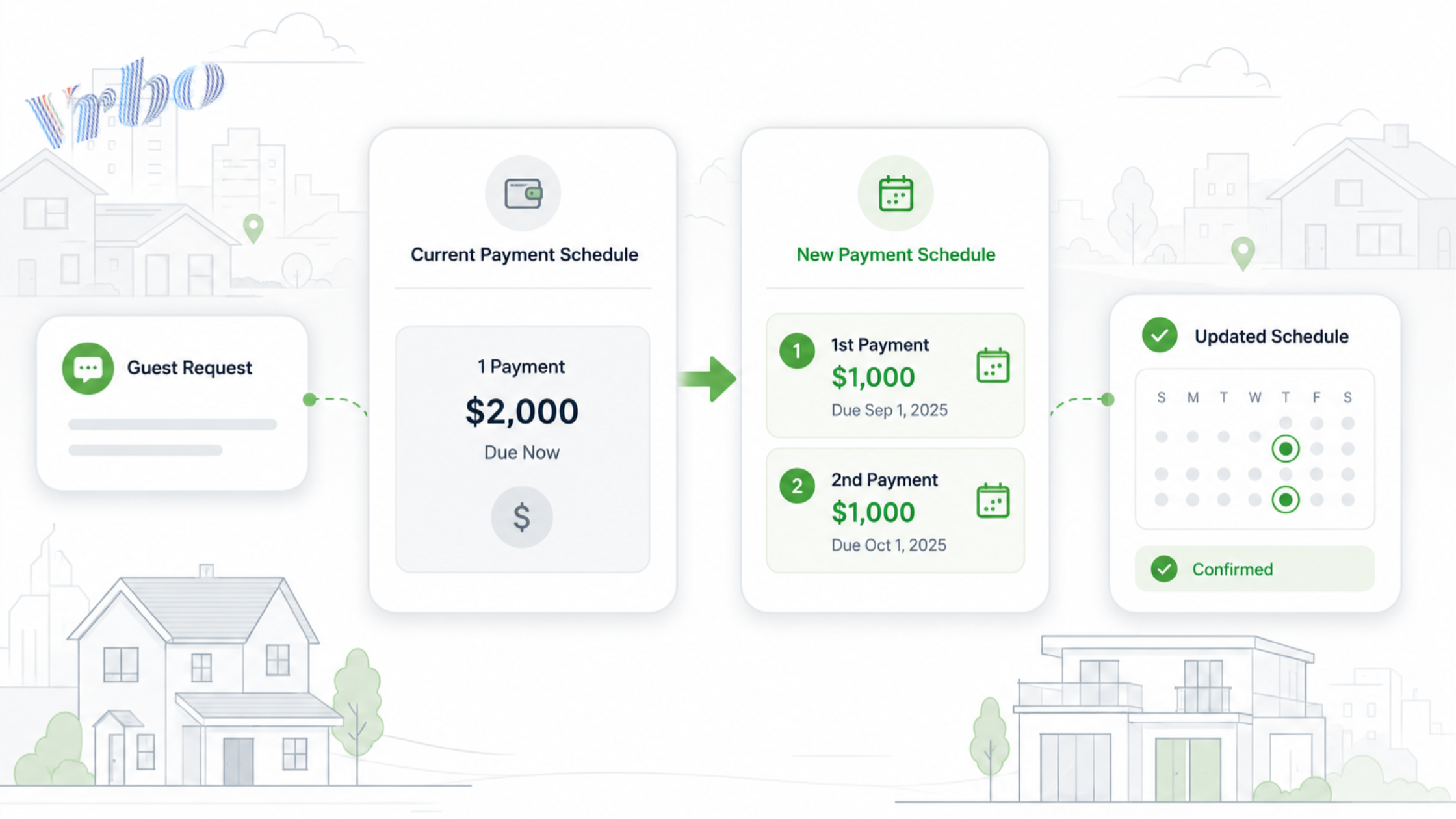
How to change a Vrbo payment schedule after booking depends on the reservation status and which payment fields Vrbo still allows you to edit. Start by documenting the guest’s requested amounts and dates, then verify what is technically possible before confirming a new arrangement.
Vrbo gives hosts control over payment terms for future bookings, but existing reservations may have fewer editing options. A careful process protects the guest relationship without creating an incorrect balance, duplicate charge, or missed payment.
To change a Vrbo payment schedule, review the existing reservation, confirm the guest’s requested amounts and dates in writing, and check which payment fields remain editable. If the dashboard cannot create the new installment structure, contact Vrbo Support. Confirm the change only after the updated schedule appears correctly in the reservation.
How Vrbo Payment Schedules Work
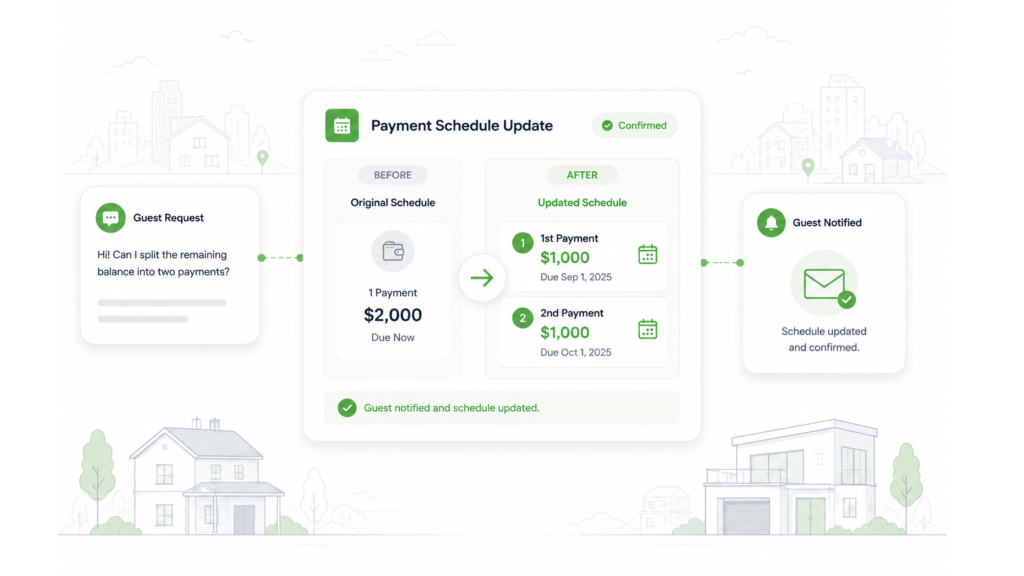
Vrbo allows hosts to collect the full amount at booking or divide the total into two or three payments. Under the platform’s official Vrbo payment terms instructions, hosts can choose the percentage due for each installment and how many days before check-in it must be paid.
The first guest payment also includes the applicable taxes and fees for the reservation. When a booking is made after the final scheduled due date has already passed, Vrbo may require the full amount at booking.
These terms generally control future reservations. They do not guarantee that you can restructure every confirmed booking after a guest has already made a payment.
What May Be Possible at Each Booking Stage
Vrbo’s quote-editing guidance states that quotes can only be edited before the guest makes a payment. It also explains that a one-installment quote cannot simply be converted into multiple installments during a quote update.
That is why hosts should avoid promising a split payment until they have checked the individual reservation.
How to Change a Vrbo Payment Schedule in Five Steps
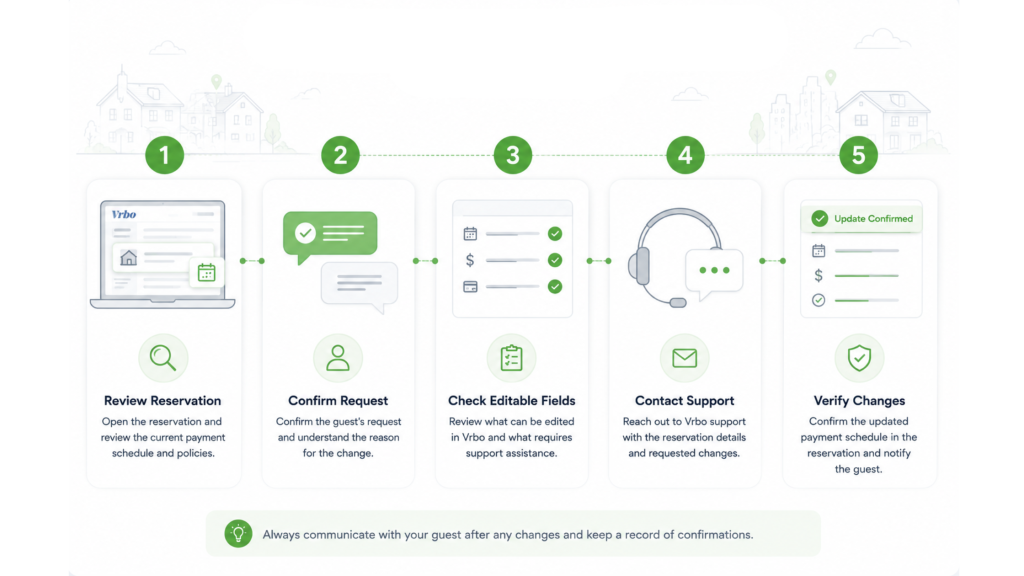
Use the same process every time a guest requests a different schedule. This keeps the guest conversation, reservation record, and payment expectations aligned.
1. Review the Current Reservation
Open the reservation and note:
- The total reservation amount
- How much the guest has already paid
- The remaining balance
- Existing payment due dates
- The check-in date
- The cancellation policy
- Any taxes, fees or deposits included
- Whether the booking is managed in Vrbo or through a connected PMS
Check the actual reservation rather than relying on an earlier email or screenshot. The booking total may have changed because of date adjustments, added fees, refunds, or other reservation updates.
2. Ask the Guest for Exact Amounts and Dates
Keep the request inside the Vrbo message thread. Ask the guest to state exactly how much they want to pay and when they want each payment collected.
For example:
“To make sure I understand your request, you would like the remaining $2,000 divided into two payments: $1,000 on September 1 and $1,000 on October 1. I’ll check whether Vrbo can apply that schedule to this reservation before confirming the change.”
Repeating the proposed terms prevents vague requests such as “Can I pay some now and the rest later?” from turning into disagreements.
Do not say the new schedule is approved yet. Tell the guest that you first need to verify what the reservation allows.
For unusual requests involving checks, wire transfers, or attempts to move the conversation elsewhere, review these Vrbo host safety and scam warning signs before continuing. A legitimate request to change an installment should not require taking payment outside the platform.
Keep special payment requests organized: Use AdvanceCM Unified Inbox to keep guest conversations and confirmations together.
3. Check Which Fields You Can Edit
Open the reservation’s payment details and look for controls related to:
- Payment amount
- Payment due date
- Outstanding balance
- Payment request
- Reservation modification
The options can vary by reservation status and account setup. A setting that is available before payment may disappear after the first installment has been processed.
Do not use an additional charge to imitate a new installment. An additional charge usually adds a new fee or service to the booking; it does not necessarily reduce or restructure the existing balance.
If you use a connected PMS, determine which system owns the payment record before making changes. Editing the wrong system can leave Vrbo, the payment processor, and your internal records showing different amounts.
4. Contact Vrbo Support When Necessary
Contact Vrbo Support when the dashboard does not show a safe way to create the requested schedule. Have the reservation open and prepare the following details:
- Reservation ID
- Guest name
- Amount already paid
- Remaining balance
- Current payment dates
- Requested installment amounts
- Requested due dates
- Written guest confirmation
Ask whether the remaining balance can be divided for that specific reservation. Do not assume that a change made for one booking will be available for every future booking.
The outcome may depend on the timing, payment status, account configuration, and how the reservation is connected. If support cannot make the change, explain that the original schedule must remain in place rather than creating an informal arrangement outside the reservation.
5. Verify the Updated Payment Schedule
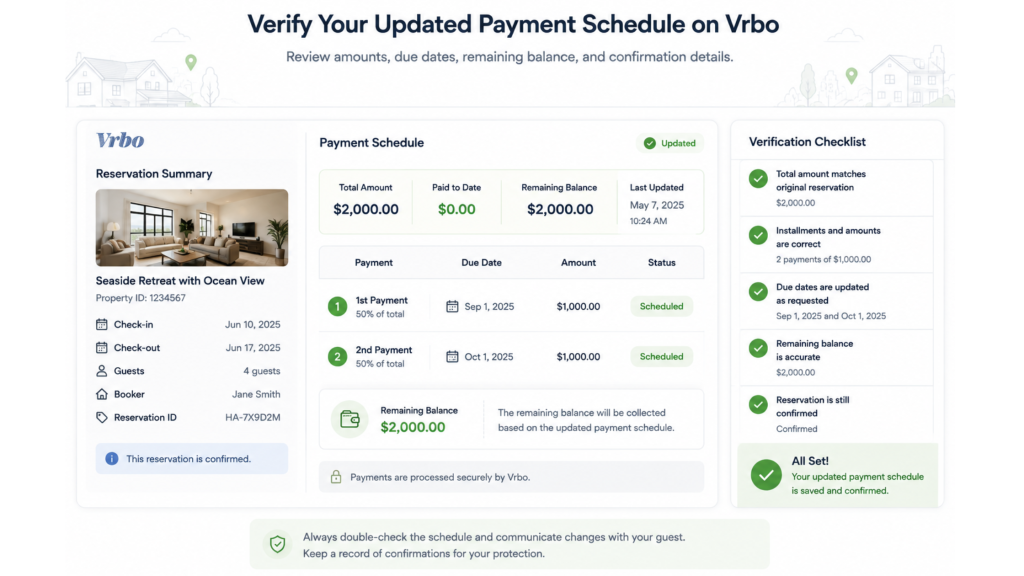
After any modification, reopen the reservation and verify every field.
Confirm that:
- The new installments equal the correct remaining balance
- Each due date matches the guest agreement
- No duplicate payment request was created
- The total reservation amount is unchanged unless intended
- Taxes and fees still appear correctly
- The guest can see the updated terms
- Your PMS or internal record matches Vrbo
Save a screenshot or reservation export for your records. Then send the guest a final confirmation containing the approved amounts and dates.
A final message could say:
“Vrbo now shows two remaining payments: $1,000 due September 1 and $1,000 due October 1. Please review the updated reservation and let me know through this message thread if anything looks different on your side.”
What to Do When Vrbo Cannot Split the Payment
Sometimes Vrbo Support or the reservation controls will not allow the requested change. The safest response is to keep the original payment schedule and explain the limitation clearly.
Avoid creating a workaround that depends on memory, private messages, or an off-platform payment. These arrangements can make it difficult to determine what remains due and which terms apply if the reservation is changed or cancelled.
Your response can be direct:
“I checked the reservation, but Vrbo does not currently allow me to divide the remaining installment. The original payment date will therefore remain in place. I wanted to confirm this promptly so you have time to plan.”
This keeps the answer professional without blaming the guest or making unsupported promises about the platform.
Set Better Terms for Future Vrbo Reservations
The easiest time to control a payment schedule is before the reservation is created. Review your terms against the value, lead time, and typical length of your bookings.
A host might use:
- Full payment for bookings made close to arrival
- A deposit followed by a final balance for standard stays
- Two or three installments for high-value stays booked well in advance
- An earlier final payment deadline for dates with strong seasonal demand
The right structure depends on your cash-flow needs and cancellation policy. What matters is that guests can understand the amount and timing before they commit.
Create an internal rule for custom payment requests as well. For example, you may require all requests to arrive a minimum number of days before check-in and remain consistent with the reservation’s cancellation terms.
Keep Payment Exceptions Visible Across Channels
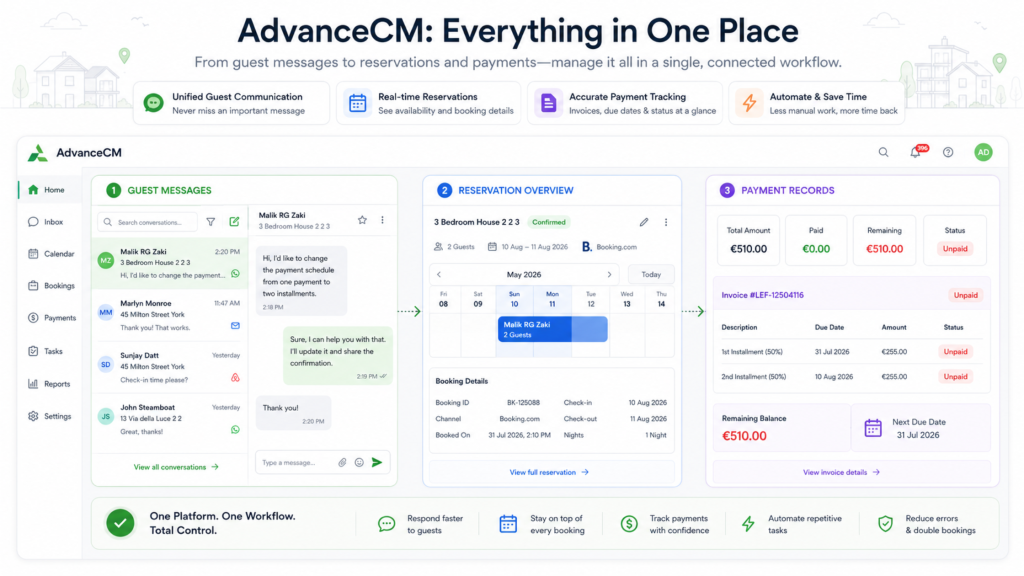
A custom payment arrangement becomes harder to manage when reservations, messages, and financial notes sit in different systems. One team member may agree to the request while another continues working from the original schedule.
A booking channel manager gives operators a central view of channel activity rather than requiring them to check each platform separately. It does not override Vrbo’s payment rules, but it can make reservation context easier to find.
This becomes more important as a portfolio expands across Vrbo, Airbnb, Booking.com, and direct bookings. Each platform can handle guest payments differently, as shown by the broader payment challenges hosts face across booking platforms.
AdvanceCM is Tokeet’s latest channel manager. It brings reservations, calendars, and supported guest communication workflows into a central dashboard, helping teams locate the booking context before responding to an exception.
Reduce dashboard switching: See how AdvanceCM Channel Manager centralizes reservations and channel activity.
Use Clear Payment Records, Not Memory
A payment exception should leave a visible record. At minimum, document the approved amounts, due dates, guest confirmation, support response, and final reservation status.
This record becomes especially useful when:
- Another employee handles the guest conversation
- The reservation dates change
- A payment fails
- The guest disputes what was agreed
- The booking is cancelled
- Finance needs to reconcile the reservation
A PMS cannot force Vrbo to accept a custom payment schedule. It can, however, help operators organize booking invoices, guest payments, charges, and related financial records without depending on personal notes.
Conclusion
Learning how to change a Vrbo payment schedule is less about finding one hidden setting and more about following a controlled verification process. Confirm the request in writing, check what the reservation allows, involve Vrbo Support when necessary, and approve the new terms only after the updated schedule is visible.
For future bookings, set payment terms that reflect your typical booking value and lead time. Clear default policies and centralized records make guest requests easier to handle without putting your cash flow or reservation history at risk.
FAQs
- Can I change a Vrbo payment schedule after the guest has paid?
Your editing options may be limited once the first payment has been processed. Review the reservation and contact Vrbo Support when the required installment controls are unavailable. - Can Vrbo Support split a final payment?
Vrbo Support may be able to help with some reservations, but the result depends on the individual booking. Do not promise the guest a split until the revised installments appear in the reservation. - Does changing the payment date change the cancellation policy?
Payment due dates and cancellation terms are separate parts of the booking. Review both after a modification to make sure the new schedule does not conflict with a non-refundable period. - Can a guest pay one installment using two cards?
A payment schedule with multiple installments is different from dividing one charge across two cards. The guest should review the available payment methods shown during Vrbo checkout or contact Vrbo for account-specific help. - How should I track custom payment schedules across several properties?
Store the guest agreement, approved dates, payment status, and support response in a shared reservation record. A centralized PMS can reduce missed handoffs, but the rules of the booking channel still determine which changes are permitted.

Welcome to Tokeet’s Podcast — your trusted source for insights, trends, and strategies shaping the vacation rental industry. Each episode features expert interviews, data-driven analysis, and practical tips to help property managers grow their businesses, improve guest experiences, and stay ahead in a rapidly evolving market. Whether you’re new to short-term rentals or managing a large portfolio, tune in to stay informed and inspired.
Senan Dervisevic runs Happy House Old Town Luxury Apartments, seven luxury apartments in Sarajevo’s Old Town where about 95% of stays are short-term. Before AdvanceCM, the team tried several property management systems and found that simple tasks like updating prices, checking availability, and messaging guests took far too many steps.
In this episode, we walk through what Senan looked for in new software: something simple and clear, with calendars and rates kept in sync across Booking.com and Airbnb.
We cover why AdvanceCM felt right from the setup and first sync, and how bookings, calendar, rates, and guest messages now run through one place. Senan explains why the biggest difference is time that goes straight back to guests, along with fewer mistakes like double bookings. We close with four practical lessons for any host thinking about switching property management software.
Key Takeaways:
✅ Overcomplicated software turns simple tasks like price updates and guest replies into extra steps
✅ Senan’s must-haves: simple and clear, no extra training, and reliable calendar and rate sync across Booking.com and Airbnb
✅ With AdvanceCM, bookings, calendar, rates, and guest messages run through one place instead of separate channel checks
✅ The biggest difference is time that goes back to guests, plus fewer mistakes like double bookings
✅ Setup, the first sync, and first contact with support give an early read on how a tool will work day to day
Related Links:
Company: https://www.tokeet.com/
Blogs: https://www.tokeet.com/blog/
Blog: Switching Property Management Software: 4 Lessons From 7 Sarajevo Apartments 👉 https://blog.tokeet.com/switching-property-management-software/
This is a public episode. If you would like to discuss this with other subscribers or get access to bonus episodes, visit podcast.tokeet.com