
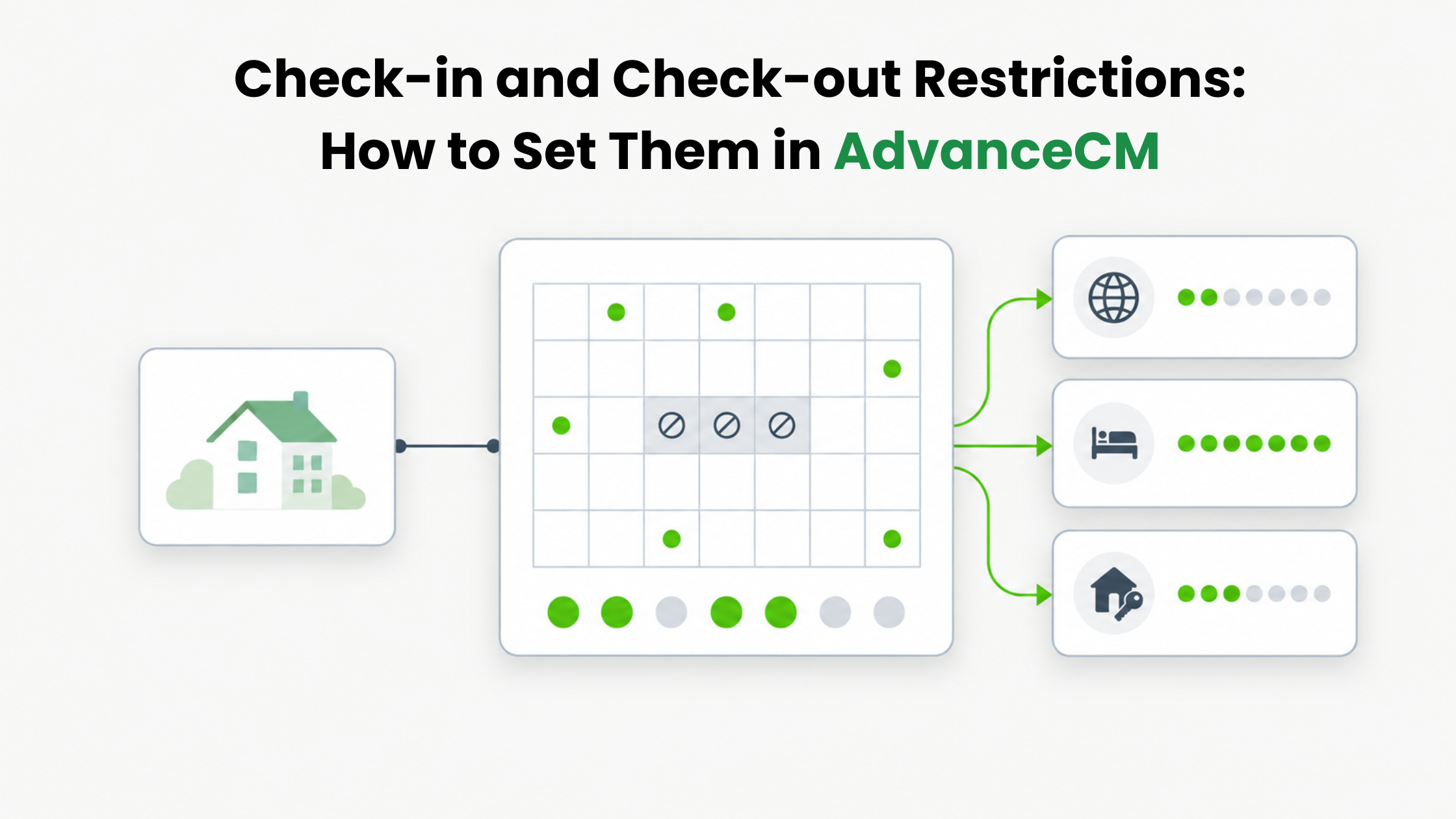
Check-in and check-out restrictions control which days guests can arrive at and leave your rental. AdvanceCM now lets you set them per rental, by date range or weekday, and per booking channel. The feature sits in the Rentals module of AdvanceCM, Tokeet’s AI-powered property management system and channel manager, and it is the feature AdvanceCM users requested most.
This guide covers what each rule does, when to use it, how to set it up, and what to check before you switch it on. AdvanceCM’s help article on managing check-in and check-out restrictions has the full configuration examples.
Check-in and check-out restrictions in AdvanceCM block arrivals or departures for a date range, or limit them to chosen weekdays, such as Friday and Saturday only. Each rule can apply to all channels or only to selected ones, such as Airbnb, Booking.com, Vrbo, or your direct website. Rules affect future bookings only, and existing reservations stay unchanged.
What Check-in and Check-out Restrictions Do in AdvanceCM
A restriction tells AdvanceCM, and the channels it connects to, which days a stay can start or end. There are four kinds of rule:
- No check-ins for a date range. New arrivals are blocked between two dates, for example December 24 to 26.
- No check-outs for a date range. Departures are blocked for a period, such as days when the property is under maintenance.
- Check-ins on selected weekdays only. Guests can arrive only on the days you choose, such as Friday and Saturday.
- Check-outs on selected weekdays only. Departures are limited to chosen days in the same way.
Each rule can cover all channels or only the ones you pick. AdvanceCM’s announcement also describes blocking check-ins or check-outs for a specific duration as well as a date range.
A no-check-in rule does not empty the calendar. Guests whose booking starts before the restricted period can still stay through those dates. Only new arrivals on the restricted days are blocked. When check-ins are limited to certain weekdays, guests searching for arrivals on other days see the property as unavailable.
When to Use Check-in and Check-out Restrictions
Most rules start with an operational limit: a day when nobody can welcome guests, clean, or finish a repair. AdvanceCM’s help documentation lists these common cases:
- Holiday and maintenance periods. Block new arrivals over a holiday, or block check-outs while maintenance is under way.
- Busy periods. Prevent same-day arrivals when the calendar is full.
- Slow arrival days. Stop arrivals on Mondays or Tuesdays.
- Weekly stays. Create Saturday-to-Saturday stays for vacation homes.
- Channel differences. Apply stricter rules to OTAs while keeping direct bookings flexible.
These rules work best when they are planned with the rest of your calendar rather than added in a rush. Our post on vacation rental dynamic pricing mistakes during events makes the same point: blackout dates, turnover limits, and channel-specific needs belong inside your pricing logic, not patched in later. Setting check-in and check-out restrictions before a holiday season is one way to do that.
How to Set Check-in and Check-out Restrictions in AdvanceCM
Restrictions are set per rental. In the AdvanceCM Rentals module, open the rental’s details and find the restrictions option in the right-side menu. Each rule is then built from three settings:
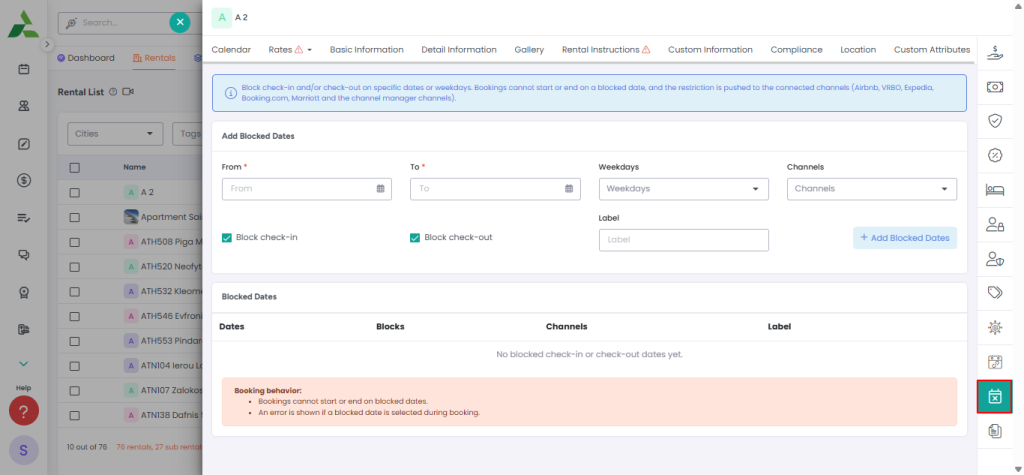
- Restriction type. No check-in, no check-out, or allowed check-in or check-out days.
- When it applies. A date range for a block, such as December 24 to 26, or the weekdays when arrivals or departures are allowed.
- Channels. All channels, or only the ones you select, such as Airbnb, Booking.com, and your direct website.

After you add a rule, it reaches each connected channel once AdvanceCM next syncs availability, so changes may take a few minutes to appear. A quick look at one channel’s calendar afterward confirms the rule arrived.
Because the rules travel through the same availability sync as your bookings, they depend on the AdvanceCM Channel Manager, which keeps availability coordinated across every channel a rental is listed on.
Channel-Specific Rules: Strict on OTAs, Flexible on Direct
Channel-specific check-in and check-out restrictions let one rental follow different arrival rules on different booking sites. AdvanceCM’s help documentation gives this example:
| Channel | Check-in rule | Check-out rule |
|---|---|---|
| Airbnb | Friday and Saturday only | Any day |
| Booking.com | Any day | Any day |
| Direct website | Friday, Saturday, and Sunday | Any day |
In this setup, Airbnb guests can arrive only on Friday or Saturday, direct-website guests can also arrive on Sunday, and Booking.com guests can arrive any day. Check-outs stay open everywhere.
Keeping these rules in AdvanceCM gives you one record of what each channel should enforce. Airbnb’s own help center lists restricted check-in or checkout days among the availability settings that block nights on a listing calendar, and it notes that availability rules can also be set in connected property management software.
If a rule is later changed directly on one booking site, the two can drift apart. Our guide to rental rules mismatches explains how gaps between your settings and the live listing lead to guest disputes, and how to check listings after any major change.
What to Check Before Turning Restrictions On
Three points from AdvanceCM’s documentation shape how you roll out check-in and check-out restrictions:
- Future bookings only. Existing reservations are not modified, so a guest already booked to arrive on a newly restricted day keeps that booking.
- Sync time. A new rule reaches each channel after availability syncs, which may take a few minutes.
- Scope. A rule set for all channels affects every booking site. A channel rule affects only the channels you select.
Restrictions also narrow who can book. Booking.com’s partner guide to adding and managing restrictions says that the more restrictions you set, the fewer potential guests see your property, and it recommends reviewing your settings regularly. That makes check-in and check-out restrictions a tool for specific periods, not a permanent default.
The end of a season is a natural time for that review. Our post on keeping Booking.com occupancy strong after peak season covers loosening minimum stays to catch gap nights once demand slows, and the same thinking applies to arrival-day rules set for the busy months.
Next Step
Start with the period your team already knows is hard, such as an upcoming holiday, and add your first rule to the rental it affects. To see how AdvanceCM keeps availability aligned across your channels, visit the AdvanceCM Channel Manager page.
FAQs
- Do check-in and check-out restrictions change existing reservations?
No. AdvanceCM applies them to future bookings only, and existing reservations are not modified. - Can guests stay over a restricted check-in date?
Yes. A no-check-in rule blocks new arrivals on those dates, but a booking that starts before the restricted period can continue through it. - Can I use different rules for Airbnb and my direct website?
Yes. Each rule can apply to all channels or to selected ones. For example, you can allow Airbnb arrivals only on Fridays and Saturdays while direct guests can also arrive on Sundays. - How long do new rules take to reach my channels?
AdvanceCM says changes may take a few minutes. A new rule goes to each channel after availability syncs. - Where can I read AdvanceCM’s announcement?
AdvanceCM announced Check-in & Check-out Rules in its changelog. The post includes examples such as blocking check-ins from December 24 to 26 and limiting arrivals to Fridays and Saturdays.

Welcome to Tokeet’s Podcast — your trusted source for insights, trends, and strategies shaping the vacation rental industry. Each episode features expert interviews, data-driven analysis, and practical tips to help property managers grow their businesses, improve guest experiences, and stay ahead in a rapidly evolving market. Whether you’re new to short-term rentals or managing a large portfolio, tune in to stay informed and inspired.
Some days just don’t work for a guest arrival, whether it’s a holiday, a maintenance window, or a turnover day your team can’t cover. This episode walks through check-in and check-out restrictions, the most requested feature in AdvanceCM, now live in the Rentals module. You’ll hear how to block arrivals or departures for a date range, such as December 24 to 26, and how to allow check-ins only on the weekdays you choose. We also cover channel-specific rules, like keeping Airbnb to Friday and Saturday arrivals while direct bookings stay open through Sunday. Finally, we explain what to check before switching rules on, from existing reservations to sync time and visibility on booking sites.
Key Takeaways:
✅ Block check-ins or check-outs for any date range
✅ Limit arrivals to the weekdays you choose
✅ Set different rules for each booking channel
✅ Existing reservations stay unchanged
✅ More restrictions mean fewer guests can book, so review rules each season
Related Links:
Company: https://www.tokeet.com/Blogs: https://www.tokeet.com/blog/Blog: Check-in and Check-out Restrictions: How to Set Them in AdvanceCM 👉 https://blog.tokeet.com/check-in-and-check-out-restrictions/
This is a public episode. If you would like to discuss this with other subscribers or get access to bonus episodes, visit podcast.tokeet.com


