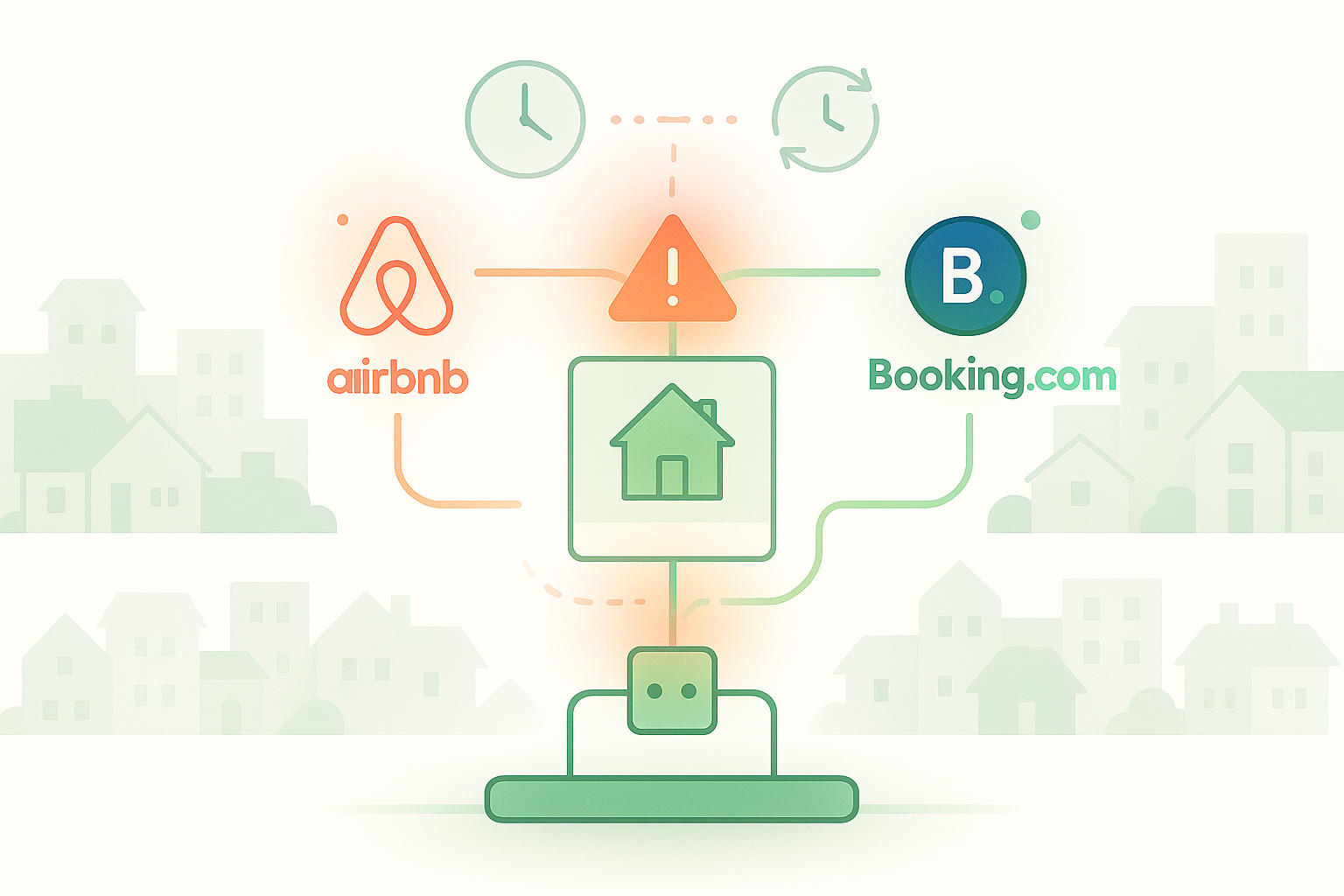
You receive an Airbnb booking notification at 2 PM, a guest just reserved your property for next weekend. You’re thrilled until your phone buzzes again at 2:20 PM: Booking.com confirmation for the same dates, same room. Your stomach drops. Two guests, one property, and you have 20 minutes to explain to someone why their “confirmed” reservation doesn’t actually exist. Now you’re facing a $1,100 cancellation penalty, potential account suspension, and an impossible choice: which guest do you disappoint?
This nightmare scenario isn’t rare, it happens to thousands of hosts who list on multiple platforms. The problem isn’t your management skills. It’s that calendar synchronization between Airbnb, Booking.com, and VRBO isn’t real-time. The standard iCal sync can take anywhere from [20 minutes to several hours to update, creating a dangerous window where double bookings become inevitable. Meanwhile, platforms charge you massive penalties for their technical limitations.
This guide shows you exactly why double bookings happen so fast and three proven methods to prevent them: manual calendar blocking, API-based channel managers, and hybrid approaches. You’ll learn which strategy fits your booking volume, how to implement each method today, and how to protect yourself from the financial penalties that cost hosts over $1,000 per incident.
Why Calendar Sync Failures Cost Hosts Money
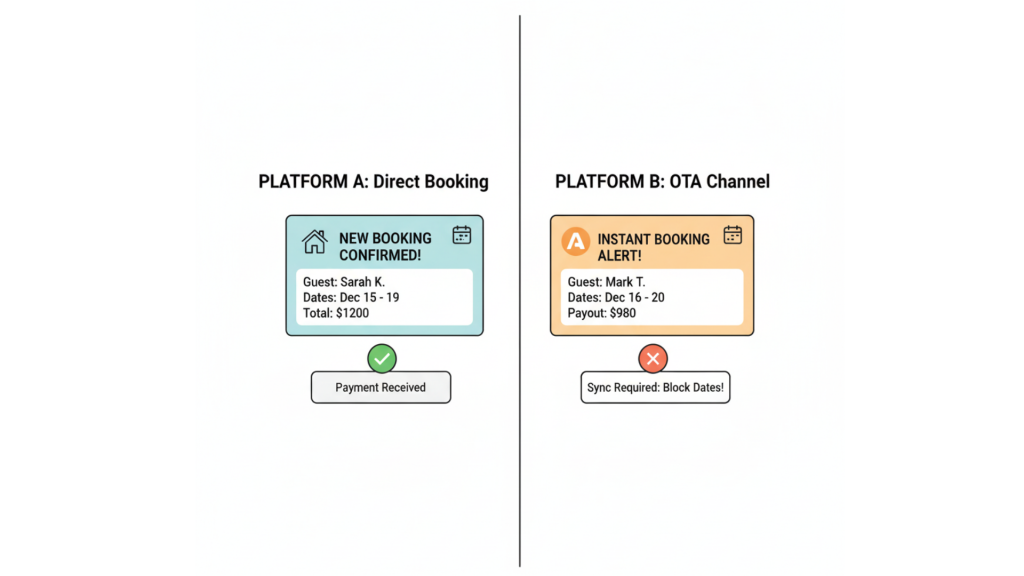
The financial and reputational damage from a single double booking extends far beyond the immediate crisis. Hosts face three types of costs: direct financial penalties from the platforms, long-term ranking damage that reduces future bookings, and operational chaos that consumes hours of your time.
Direct Financial Penalties
Platform cancellation fees are brutal and non-negotiable. [Booking.com charges up to $1,100 for host-initiated cancellations, even when the double booking resulted from their sync delay. Airbnb imposes cancellation fees ranging from $50 to $100, plus they block your calendar for those dates, meaning you lose the booking revenue and pay a penalty.
Ranking and Reputation Damage
Canceling reservations tanks your search ranking on every platform. Airbnb’s algorithm penalizes cancellations by pushing your listing down in search results, reducing visibility to future guests for 12 months. Multiple cancellations can trigger account suspension or removal from preferred hosting programs.
Understanding How iCal Synchronization Actually Works
The technology causing double bookings is called iCal (Internet Calendar) synchronization, an outdated protocol that wasn’t designed for real-time booking coordination. To prevent double bookings, you need to understand why this 20-year-old technology creates such dangerous delays.
The Sync Delay Reality
iCal wasn’t built for vacation rental platforms competing for the same inventory. The protocol updates calendars on a polling schedule, platforms check for changes every 30 minutes to 2 hours, not instantly when bookings occur. Airbnb sends a booking confirmation immediately, but Booking.com won’t see that your calendar is blocked for another 30-90 minutes depending on their sync schedule. During that window, another guest can book the same dates, creating the double booking. This isn’t a bug, it’s how iCal fundamentally operates.
Why Platforms Haven’t Fixed This
Multi-billion dollar companies have the technical capability to implement real-time synchronization through direct API connections. They choose not to for competitive reasons. Each platform wants exclusive listings because that drives more users to their site rather than competitors. By maintaining “just good enough” synchronization through iCal, they create friction that encourages hosts to list exclusively with one platform.
Three Ways to Prevent Double Bookings
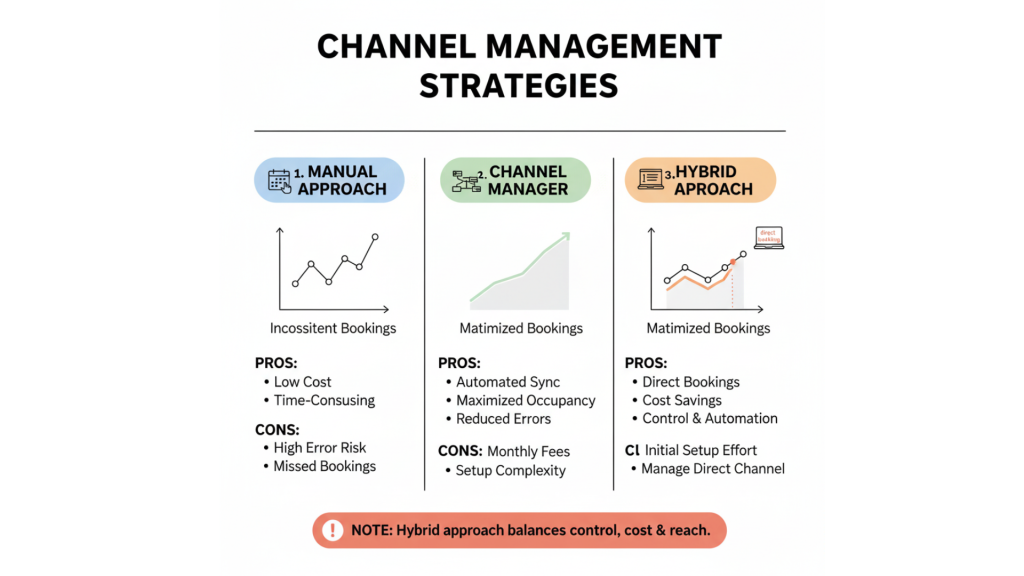
Since platforms won’t fix their synchronization problem, hosts have developed three reliable prevention strategies. Each approach has different trade-offs between automation, cost, and reliability. The method you choose depends on your booking volume, time zone differences with guests, and whether you’re willing to invest in paid tools.
Method 1: Manual Calendar Blocking (Free, Most Reliable)
The moment you receive a booking confirmation on any platform, immediately log into your other listing sites and manually block those dates. This takes 5-10 minutes per booking but eliminates the sync delay entirely. Open Airbnb, VRBO, and Booking.com in separate browser tabs to speed up the process.
Update calendars before responding to the guest, the booking isn’t truly confirmed until all platforms reflect the blocked dates. Hosts using this method report zero double bookings, though it requires discipline and immediate action after every reservation. Best for hosts with 1-3 properties and moderate booking volume (under 20 bookings per month).
Method 2: Channel Manager with API Sync (Paid, Near-Instant)
Property management systems with channel manager functionality use direct API connections that update calendars in seconds instead of hours. Platforms like AdvanceCM’s channel manager connect to platform APIs for instant synchronization when bookings occur. The cost ranges from $30 to $100 per month depending on property count and features.
Even API sync isn’t 100% foolproof, verify your calendars daily and maintain manual oversight for high-value bookings. Best for hosts with 4+ properties or booking volume exceeding 20 per month, where manual blocking becomes unsustainable. Method 3: Hybrid Approach (iCal + Manual Verification)
Use the default iCal sync as a baseline safety net, but manually verify and update calendars during your active hours. This works particularly well for hosts in different time zones from their primary guest market. If most bookings arrive overnight while you sleep, iCal provides some protection until you wake up and manually verify. Check calendars first thing each morning and immediately after receiving any booking notification.
Common Mistakes That Lead to Double Bookings
Even hosts who implement prevention strategies sometimes experience double bookings due to avoidable errors. Understanding where other hosts slip up helps you build systems that prevent these failures before they cost you money.
- Trusting iCal Sync Without Verification
The biggest mistake is assuming that because you’ve connected calendars via iCal, synchronization happens automatically and reliably. iCal connections break when platforms update their systems, when you change passwords, or for no apparent reason at all. Verify sync status weekly by making a test block on one platform and confirming it appears on others within your expected timeframe.
- Updating Only One Platform’s Calendar
You receive a booking, manually block it on Airbnb, but forget to update Booking.com and VRBO. This happens when you’re rushing or managing bookings on mobile devices, where switching between apps creates friction. Create a checklist or use browser bookmarks that open all platform calendars simultaneously.
- Delaying Calendar Updates for “Later”
You receive a booking at lunch but plan to update calendars “after this meeting” or “tonight when I have time.” Twenty minutes later, the double booking happens. Calendar updates must happen within 5 minutes of booking confirmation, before the sync delay window closes. If you can’t update immediately, you can’t safely list on multiple platforms.
Taking Action: Your Double Booking Prevention Plan
You now understand why double bookings happen and three proven prevention methods. The key is choosing your approach today and implementing it before your next booking arrives.
Immediate Steps (This Week)
Today:
– Test your current iCal sync by blocking a date on one platform and timing how long other platforms take to update.
– Create browser bookmarks that open all your listing platform calendars in separate tabs for quick access
– Set up booking notification emails to forward to your phone with priority alerts
This Week:
– Decide which prevention method fits your situation: manual blocking (under 15 bookings/month), channel manager (15+ bookings/month), or hybrid approach (time zone challenges).
– If choosing manual blocking, practice the workflow 3 times to build muscle memory.
– If choosing a channel manager, start free trials with tools like AdvanceCM and test sync speed with real or test bookings.
Long-Term Implementation
Schedule weekly calendar audits every Sunday to verify sync is working and catch any discrepancies before guests arrive. Set a recurring reminder to check iCal connection status monthly, these break without warning. Review your prevention method quarterly: if booking volume increases significantly, reconsider whether manual blocking is still sustainable. Property managers can explore pricing options to find the right tier for their portfolio size.
💬 Dealing with Airbnb calendar sync issues right now? You’re not alone in fighting these platform limitations. Join property managers on discussing real solutions to calendar sync disasters and multi-platform management challenges.
Conclusion
Double bookings will keep threatening your property business as long as platforms prioritize their competition over host success. But hosts who take control, whether through disciplined manual blocking, API-based channel managers, or verified hybrid systems, eliminate the $1,100 penalties and ranking damage entirely. Your prevention method matters less than your commitment to implementing it consistently for every single booking. Choose your approach today, build it into your workflow, and never let a 20-minute sync delay cost you thousands again.
FAQs
Q: What should I do immediately if a double booking happens despite trying to prevent double bookings on Airbnb?
A: Contact both guests within 10 minutes, explaining the situation honestly, and offer the second guest a full refund plus 10-20% compensation. Document everything through platform messaging and file a dispute immediately, referencing the sync timestamps showing bookings occurred within the delay window.
Q: Does turning off instant book reduce Airbnb calendar sync issues and double booking risk?
A: Turning off instant book adds a 2-12 hour approval window that reduces double booking risk, giving you time to manually block other calendars before approving. However, instant book properties get 30-40% more reservations, so this trades booking volume for safety.
Q: Which platform should I cancel on if I get a double booking, the first or second reservation?
A: Cancel the second booking if penalties are equal, but check each platform’s specific penalty first, if Booking.com charges $1,100 and Airbnb charges $50, cancel the Airbnb reservation regardless of timing. Keep screenshots proving both booking confirmation times for dispute documentation.
Q: Can I get cancellation penalties refunded if the double booking was caused by platform sync delays?
A: Sometimes, but it requires persistent documentation showing booking timestamps with the gap between them and referencing the platform’s own iCal sync documentation stating updates aren’t real-time. Success rate is roughly 40-50% for hosts with clean cancellation histories, taking 4-8 weeks to resolve.
Q: Should I maintain a backup property list to handle double bookings when they occur?
A: Yes, if you manage 3+ properties, create a spreadsheet of comparable nearby properties with owner contact info for emergency transfers. Some hosts form informal “double booking networks” where they help each other by accepting transferred guests at discounted rates.

Welcome to Tokeet’s Podcast — your trusted source for insights, trends, and strategies shaping the vacation rental industry. Each episode features expert interviews, data-driven analysis, and practical tips to help property managers grow their businesses, improve guest experiences, and stay ahead in a rapidly evolving market. Whether you’re new to short-term rentals or managing a large portfolio, tune in to stay informed and inspired.
David Emerson has run SurfBreak at Paunch, a four-property vacation rental business in Bocas del Toro, Panama, for 11 years.
In this episode, he walks through why he switched from Tokeet’s original app to AdvanceCM and what changed in his day-to-day booking management. We cover how AdvanceCM’s channel manager keeps every booking site in sync, so one reservation blocks the same dates everywhere else automatically.
David explains why live chat support has made the biggest difference for him, and how rate table updates became far simpler. He also shares his advice for other hosts weighing a channel manager, and his plan to grow from four properties to six over the next few years.
This is a real host’s account of what changed for his business, not a product pitch.
Key Takeaways:
✅ David switched from Tokeet’s original app to AdvanceCM for easier rate management across rooms and properties
✅ AdvanceCM’s channel manager syncs every booking site automatically, so one reservation blocks the same dates everywhere else
✅ Live chat support is the feature David says has made the biggest difference in his day-to-day
✅ His advice to other multi-property hosts: the time saved outweighs the cost of a channel manager
✅ David plans to grow SurfBreak at Paunch from four properties to six over the next few years
Related Links:
Company: https://www.tokeet.com/Blogs: https://www.tokeet.com/blog/Blog: Vacation Rental Channel Manager: How Surf Break at Paunch Runs Four Properties From One Screen 👉https://blog.tokeet.com/vacation-rental-channel-manager-case-study/
This is a public episode. If you would like to discuss this with other subscribers or get access to bonus episodes, visit podcast.tokeet.com