
You’ve probably seen this play out: a guest has a good stay and checks out, and instead of just waiting for the booking.com review request email, the host sends a private message asking them not to review on the platform. It can sound harmless, “just share feedback with me directly”, but to many guests, it feels odd and raises questions about what’s really going on with that shiny 9.0 score.
This guide flips that situation to your side of the fence as a host or manager and explains what guests actually think when you ask for private feedback, how the booking.com guest review process is supposed to work, why dodging reviews can backfire, and how to encourage more public reviews in a way that builds trust and bookings.
What a Booking.com Review Request Really Is
A booking.com review request isn’t a casual favor, it’s an automated message Booking.com sends after checkout so reviews stay consistent and comparable across properties. Official partner documentation explains that guests get a review invitation email around 48 hours after check-out and usually have three months to respond. Only guests connected to a real stay are eligible, which keeps the system harder to game.
Within the booking.com guest review process, guests give scores from 1 to 10 plus subscores like location and cleanliness. Booking.com then combines recent reviews using a weighted system, meaning newer reviews have more impact on your overall score than older ones. You can respond publicly to reviews, but you can’t edit or selectively block them just because you dislike what was written.
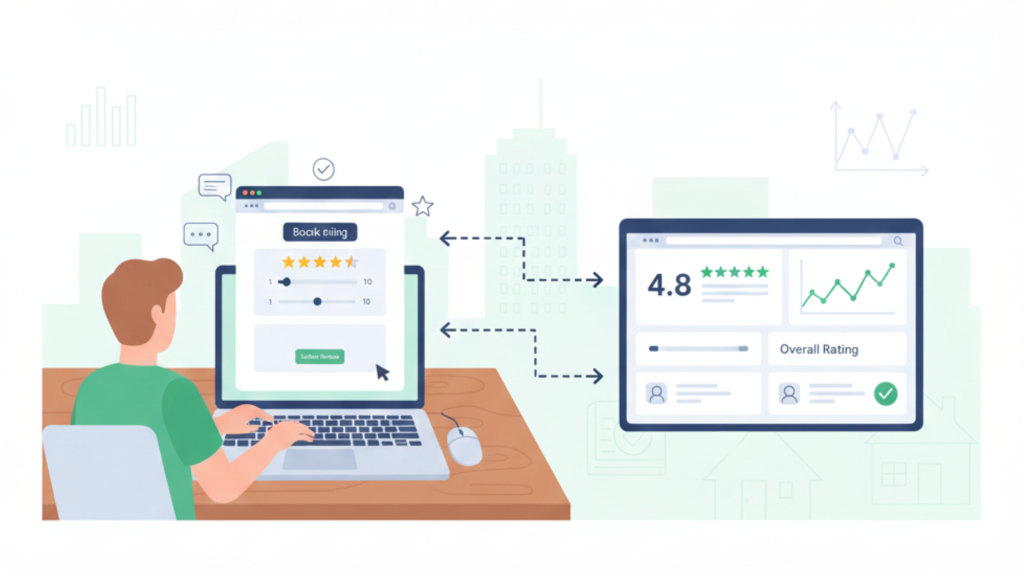
“Public reviews flowing through the official process help both guests and hosts build long-term trust.”
Why public reviews matter more than private feedback
Public responses to a booking.com review request do three things you can’t achieve with private messages alone:
- They act as social proof for new guests comparing you to nearby listings.
- They set realistic expectations, which means fewer mismatched guests and complaints.
- They show how you handle issues, not just how you perform when everything goes perfectly.
Private feedback may help you fix problems, but only public reviews inside the booking.com guest review process shape your visible reputation and conversion rate.
Why “Private Only” Review Requests Worry Guests
In the Scotland example from your briefing, the guests had a four-day stay at a 9.0-rated apartment and were generally happy. On the last day, the host messaged them: Don’t post a review on Booking.com; just send feedback directly. At first, the guest didn’t think much of it. Later, they started to wonder if this was a tactic to dodge anything less than a perfect score and took the story to Reddit.
From a guest’s perspective, a booking.com review request that suddenly goes private feels like a red flag. It reads as “please don’t tell other travelers what really happened,” even if most of the stay was good. And once it becomes a story online, you lose control of the narrative anyway, now it’s being dissected in public without the benefit of a clear, balanced review on your listing.
How travelers actually react
When similar situations get discussed in forums and social groups, the reaction is pretty consistent: people assume the host is trying to avoid bad or even slightly lower reviews to protect a high average. In at least one thread, an official Booking.com representative has clarified that guests should still use the platform’s normal invitation and that this kind of private workaround “shouldn’t happen.”
If you want a quick reality check, search Reddit for phrases like “booking.com review request from host” or “host told me not to review.” The comments make one thing clear: guests value transparency, and any attempt to move the booking.com review request off-platform immediately looks suspicious.
The Risks of Bypassing the Booking.com Guest Review Process
Many hosts see avoiding reviews as a way to “freeze” a great score. In practice, steering guests away from every booking.com review request creates more problems than it solves. Fresh, consistent reviews are one of the strongest signals travelers use when deciding where to stay. Recent industry data suggests that over 80% of travelers regularly read reviews before booking accommodation.
If new reviews dry up because you keep nudging guests into private feedback, your listing starts to look stale next to competitors with active review streams. That hurts both your click-through rate and your conversion rate, even if your current score looks high.
Score, ranking, and trust
Booking.com now uses a recency-weighted system for the overall Guest Review Score, which means newer reviews carry more weight than older feedback. Every booking.com review request you successfully convert into a public review tells the algorithm, and future guests, that your place is still delivering. Avoiding reviews, on the other hand, leaves you with an old score that doesn’t reflect current performance and can slide over time.
There’s also a trust factor: a listing with a high score but very few recent reviews often makes savvy guests wonder whether feedback is being discouraged or filtered.
Legal and compliance gray zones
Most platforms and regulators now treat reviews as a protected part of the buying decision, not just “extra content.” In the US, for example, the Consumer Review Fairness Act makes it illegal for companies to use standard contract terms that restrict or punish customers for posting honest reviews. Legal commentary is clear that this law exists to preserve the credibility of online reviews and prevent businesses from suppressing truthful negative feedback.
Asking for private feedback once is unlikely to get you sued. But building habits that effectively suppress honest participation in the booking.com guest review process is going against the spirit of these protections, and it’s a bad look if guests ever share screenshots publicly.
Better Ways to Ask for Reviews on Booking.com
The solution isn’t to stay quiet. You’re absolutely allowed to remind guests to review you, just make sure your message points back to the official booking.com review request, not around it. Booking.com’s own partner hub explains that guests receive an email asking for feedback after checkout, and hosts are encouraged to engage with reviews, not avoid them.
A simple mindset shift helps: your job is to invite honest feedback, not perfect 10s. If you’ve delivered a solid experience and handled issues quickly, most reviews inside the booking.com guest review process will naturally reflect that.
“Shift guests away from private-only feedback and toward honest public reviews handled through the official process.”
Practical message templates you can use
Here are short scripts you can adapt for your own messaging:
- Standard checkout message
“Thanks again for staying with us. Booking.com will send you a booking.com review request in the next couple of days. We’d really appreciate your honest feedback, it helps us improve and helps future guests decide if we’re a good fit.” - After a problem you tried to fix
“We’re sorry again about the heating issue and appreciate your patience while we fix it. When you get the booking.com review request, it would help if you shared both what went wrong and how we responded, that kind of detail is really useful for us and future guests.” - For repeat guests
“It was great to host you again. If you get a booking.com review request, feel free to mention that you’ve stayed with us before, regular guests’ opinions really help others choose confidently.”
Notice there’s no pressure for a specific score and no hint that you’d rather they didn’t use the platform.
Using Systems Instead of Last-Minute Messages
If you manage more than one listing, manually tracking every booking.com review request gets messy fast. This is where having proper tools saves your sanity. With a platform like AdvanceCM, you can treat reviews as part of a system, not random one-off messages.
For example, you can keep all OTA messaging in one Unified Inbox so you always see what was promised, what was resolved, and how that might show up when guests respond to the next booking.com review request. That record makes it much easier to send thoughtful, consistent follow-up messages.
Turning feedback into action
Reviews are most valuable when they feed straight into how you operate. If multiple guests mention the same issue, you can turn that into a task for your team rather than a recurring complaint. Tools that centralize operations and communications, like using an automation and messaging suite alongside AdvanceCM Pricing decisions, help you connect dots between feedback, improvements, and revenue.
Recent hospitality research shows that a strong online reputation directly influences booking decisions and rate tolerance; travelers are more willing to pay a bit more when reviews and responses show a pattern of reliability and good service. That’s exactly what a healthy booking.com review request flow can build for you over time.
Conclusion
A booking.com review request isn’t something to fear, soften, or quietly move into private messages. It’s the core of how travelers decide whether to trust you and how Booking.com decides how prominently to show your property. When you respect the booking.com guest review process, encourage honest feedback, and respond well, you build the kind of profile guests rely on, and that keeps your calendar full.
If you’ve been tempted to ask guests not to review you, take this as a prompt to change course. Clean up your post-stay messages, lean into transparency, and put simple systems in place so every review, good, mixed, or bad, becomes data you can actually use to grow.
FAQs
Q: Is it okay to ask a guest not to respond to a Booking.com review request?
A: You technically can’t control who gets invited to review, and Booking.com expects guests to use its official system, so repeatedly asking people not to respond to a Booking.com review request can look like manipulation and damage trust.
Q: Can I block a guest from leaving a review on Booking.com?
A: No. Under the booking.com guest review process, only Booking.com decides which guests receive invitations, and that’s based on completed stays, not host preference.
Q: What if I’m sure a guest will leave a bad review?
A: Focus on fixing what you can before checkout, then respond professionally if a negative review appears. Often, a calm, solution-oriented reply to a tough review after a booking.com review request reassures future guests more than having no criticism at all.
Q: Am I allowed to remind guests to check their email for the review invite?
A: Yes. You can absolutely remind guests that a booking.com review request is coming and that you welcome honest feedback. Just avoid asking for only positive scores or hinting that they shouldn’t mention problems.
Q: How do I manage review messaging across multiple channels?
A: Using a centralized tool like AdvanceCM with a Unified Inbox lets you handle Booking.com, Airbnb, and other channels in one place, standardize your responses, and stay on top of every Booking.com review request without scrambling.

Welcome to Tokeet’s Podcast — your trusted source for insights, trends, and strategies shaping the vacation rental industry. Each episode features expert interviews, data-driven analysis, and practical tips to help property managers grow their businesses, improve guest experiences, and stay ahead in a rapidly evolving market. Whether you’re new to short-term rentals or managing a large portfolio, tune in to stay informed and inspired.
Some days just don’t work for a guest arrival, whether it’s a holiday, a maintenance window, or a turnover day your team can’t cover. This episode walks through check-in and check-out restrictions, the most requested feature in AdvanceCM, now live in the Rentals module. You’ll hear how to block arrivals or departures for a date range, such as December 24 to 26, and how to allow check-ins only on the weekdays you choose. We also cover channel-specific rules, like keeping Airbnb to Friday and Saturday arrivals while direct bookings stay open through Sunday. Finally, we explain what to check before switching rules on, from existing reservations to sync time and visibility on booking sites.
Key Takeaways:
✅ Block check-ins or check-outs for any date range
✅ Limit arrivals to the weekdays you choose
✅ Set different rules for each booking channel
✅ Existing reservations stay unchanged
✅ More restrictions mean fewer guests can book, so review rules each season
Related Links:
Company: https://www.tokeet.com/Blogs: https://www.tokeet.com/blog/Blog: Check-in and Check-out Restrictions: How to Set Them in AdvanceCM 👉 https://blog.tokeet.com/check-in-and-check-out-restrictions/
This is a public episode. If you would like to discuss this with other subscribers or get access to bonus episodes, visit podcast.tokeet.com


