
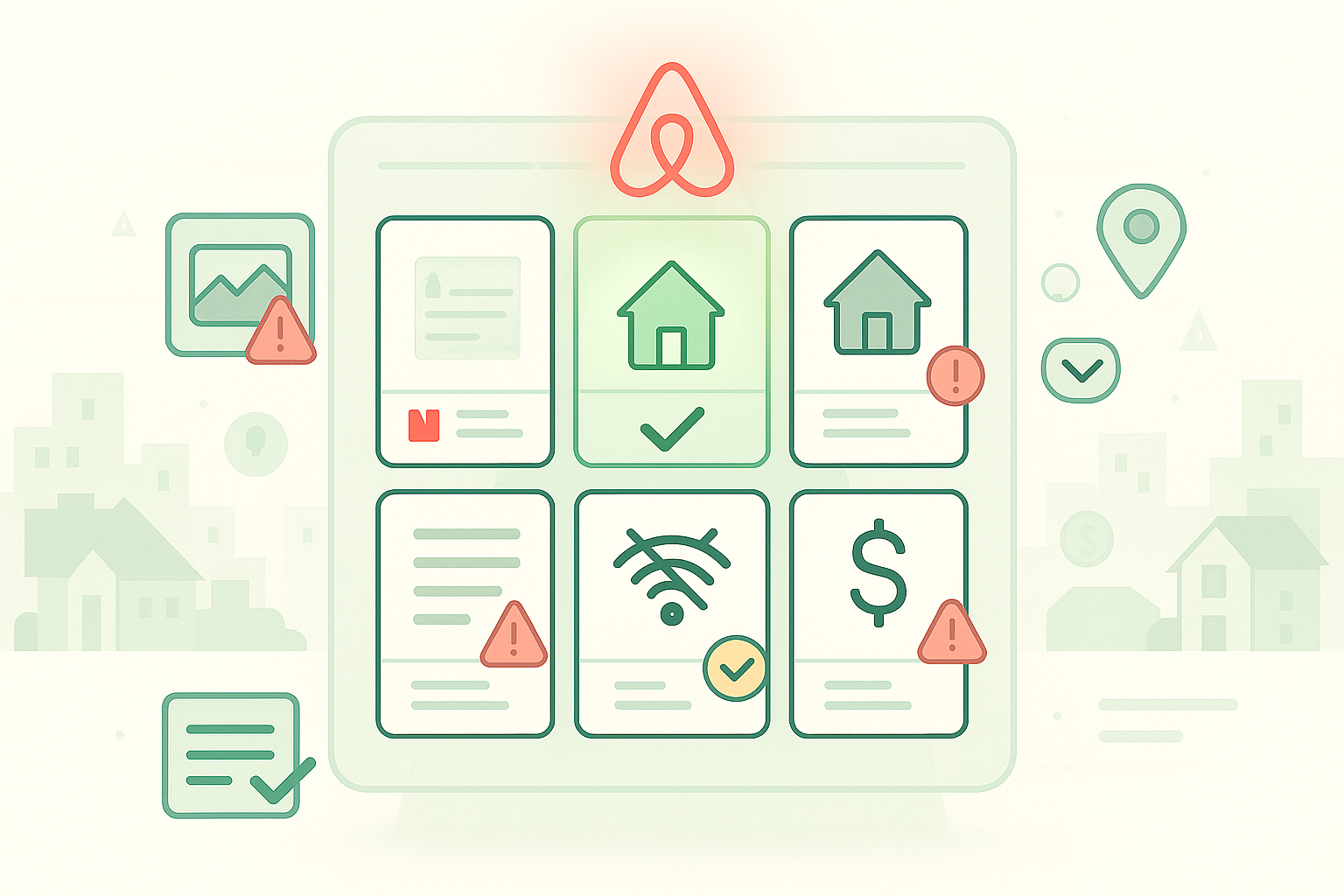
Small listing mistakes cost hosts thousands in lost bookings annually. A property marked as having a “private pool” when it’s actually shared sees 54% more guest complaints than one with accurate details. Listings that verify WiFi speed eliminate 88% of connectivity complaints. These aren’t minor improvements, they’re the difference between ranking high in search results and getting buried on page three.
Most Airbnb listing mistakes happen because hosts focus on attracting bookings rather than setting accurate expectations. But the algorithm tracks discrepancies between what you promise and what guests experience. Properties with repeated accuracy issues get pushed down in search results regardless of their star ratings.
This guide identifies the five most common listing mistakes that hurt visibility and bookings, plus specific fixes you can implement within 48 hours.
Mistake #1: Photos That Don’t Match Reality
Outdated photos are the fastest way to generate negative reviews and listing issue reports. Guests arrive expecting the space shown in your images, and any significant difference triggers complaints. Seasonal changes are understandable, dead plants in winter or leaves on the ground. But furniture arrangements, major décor changes, or renovations that aren’t reflected in photos create immediate trust problems.
The algorithm monitors complaints about photo accuracy. Three guests mention that your listing looks different from pictures, and the system flags your property for review. Meanwhile, competitors with current photos rank higher because the platform knows they’re actively maintained.
Professional photography helps, but regular updates matter more. Properties that refresh images quarterly show the platform they’re committed to accuracy. New photos also signal active management, which factors into search ranking calculations.
The Accuracy Penalty
Photo discrepancies compound over time. One complaint might not hurt much, but the algorithm tracks patterns. When multiple guests report the same issue, “rooms looked bigger in photos” or “furniture is completely different”, your ranking drops accordingly.
Update your primary photos at minimum every three months. Capture current conditions including any seasonal changes, new furniture, or updated décor. Include photos of less glamorous but important spaces like parking areas, entry procedures, and any shared amenities. Guests appreciate seeing exactly what they’re booking rather than aspirational staging shots.
Mistake #2: Missing or Vague Amenity Details
Guests filter search results by specific amenities. A property with WiFi that doesn’t specify speed gets passed over by remote workers. A place with parking that doesn’t clarify “free” versus “paid” generates surprise complaints. Vague amenity descriptions hurt you twice, once when guests skip your listing during search, again when those who book feel misled.
Verified amenities rank higher than unverified ones. The platform offers testing tools for WiFi speed—listings that use verification see 88% fewer connectivity complaints according to platform data. This single update takes five minutes but significantly improves guest satisfaction and search visibility.
Common amenity mistakes include listing features that don’t work, describing partial amenities as full (like “kitchen” when you only have a microwave and mini-fridge), or omitting important limitations (pool hours, parking restrictions, shared bathroom situations).
What Guests Actually Filter For
These amenities drive the most searches and bookings:
- WiFi with verified speed posted directly in your listing, remote workers specifically filter for minimum speeds
- Free parking clearly specified (garage, driveway, street), city properties especially need this detail
- Self check-in capability with explicit instructions on how it works, properties with this see 6% higher booking values
- Kitchen access with specific equipment listed (full stove vs. hot plate matters to long-term guests)
- Air conditioning or heating with coverage details (central vs. window units, which rooms)
Mistake #3: Unclear or Excessive Airbnb Ground Rules
Ground rules prevent issues when set properly, but too many rules or unclear expectations backfire. Guests encountering a wall of restrictions in your listing description often book elsewhere. Those who do book then violate rules they didn’t fully read, leading to conflicts and negative reviews.
The algorithm tracks patterns in ground rules violations reported by hosts. Properties with frequent complaints about guests breaking rules get flagged, not because the guests are problematic, but because unclear expectations create preventable conflicts. Meanwhile, competitors with streamlined, clear rules maintain better guest relationships and ratings.
Focus ground rules on health, safety, and legal requirements rather than personal preferences. Rules about quiet hours in a residential neighborhood make sense. Rules about not sitting on certain furniture or using specific towels for specific purposes feel excessive.
The Rule Balance
Effective ground rules are specific without being overwhelming. Instead of “Be respectful of the space,” say “Quiet hours are 10 PM to 8 AM per building policy.” Instead of a long list of don’t commands, frame rules positively when possible, “Please use the designated parking spot in space #4” works better than “Don’t park anywhere except your assigned spot.”
Keep your ground rules list to 5-7 items maximum. Cover essentials like smoking policy, guest count limits, quiet hours, parking instructions, and check-in/checkout times. Everything else can go in your house manual or welcome message rather than cluttering your listing description.
Visit Airbnb’s ground rules guidance for platform-specific recommendations on what to include and how to frame expectations clearly.
Mistake #4: Hidden Fees and Surprise Charges
All fees must be disclosed before booking, this isn’t a suggestion, it’s platform policy. Properties that reveal additional charges after booking confirmation generate instant complaints and listing issue reports. Common hidden fees include surprise resort fees, mandatory damage insurance, or extra charges for amenities listed as included.
The algorithm heavily penalizes fee transparency issues because they violate guest trust. One complaint about undisclosed fees hurts your ranking more than several mediocre reviews. The platform takes accuracy seriously, and pricing accuracy matters as much as photo or amenity accuracy.
Even legitimate fees hurt bookings when disclosed poorly. A $150 cleaning fee might be reasonable for your market, but hiding it until checkout makes it feel deceptive. Guests compare total prices when searching, your nightly rate plus all fees versus competitors’ total prices. Transparency helps you rank appropriately for your actual price point.
Price Transparency Requirements
Structure your fees to meet platform standards:
- Cleaning fee displayed separately but always shown before booking, over 45% of bookings have cleaning fees under $25, so stay competitive
- Extra guest charges clearly specified with the threshold (e.g., “Up to 4 guests included, $25/night per additional guest”)
- Pet fees listed in pet policy section, not discovered later
- Early check-in or late checkout charges mentioned in your policies, never sprung on guests
- Security deposits shown clearly with exact refund timing
All charges must appear in the price breakdown before a guest confirms booking. Anything disclosed afterward violates platform policy and generates listing issues.
Mistake #5: Outdated or Incomplete Location Information
Vague location descriptions cost you bookings from guests who need specific details. “Walking distance to downtown” means different things to different people. “Near public transit” doesn’t specify how near or which lines. Incomplete location information makes guests skip your listing rather than risk booking something inconvenient.
The platform allows you to set your map pin to a general or specific location. Many hosts choose general privacy, but this hurts visibility when guests search specific neighborhoods. Properties with accurate, specific locations rank higher in location-filtered searches.
Location details should include walking times to major attractions (not just distances), public transit access with specific station names and walking minutes, parking availability and costs, and neighborhood characteristics that matter to guests (quiet residential, nightlife district, family-friendly).
The Visibility Fix
Update your location description with specific details. Instead of “close to restaurants,” say “7 restaurants within a 2-block radius including Italian, Thai, and American options.” Instead of “near beach,” say “0.4 miles to public beach access, 8-minute walk.”
Include transit details with real timing, “Red Line station 5-minute walk, 15 minutes to downtown, 30 minutes to airport.” Add nearby grocery stores, pharmacies, and emergency services for practical planning. This specificity helps guests make confident booking decisions while improving your search visibility for location-based filters.
For additional strategies on optimizing vacation rental operations, review insights from Forbes on property management best practices.
Your 48-Hour Listing Audit
Fix these five mistakes within two days using this systematic approach. Start with photos since they require the most time. Walk through your property with your phone taking current photos of every room and important feature. Upload these immediately and delete any outdated images.
Next, audit your amenity list. Test your WiFi speed and add verification. Check that every listed amenity currently works. Remove anything that’s broken or no longer available. Add specific details about parking, kitchen equipment, and heating/cooling systems.
Review your ground rules with fresh eyes. Cut your list to 5-7 essential items. Rewrite any that sound restrictive or unclear. Frame requirements positively when possible. Move detailed instructions to your house manual rather than your main listing.
Verify all fees are disclosed clearly. Review your cleaning fee, extra guest charges, and any other costs. Make sure everything appears in the booking price breakdown before guests confirm. Remove any language suggesting fees that aren’t listed upfront.
Finally, enhance your location description with specific, measurable details. Add walking times, transit access, and nearby amenities. Update your map pin for better search visibility. These changes take less than 48 hours total but prevent the listing mistakes that kill bookings.
Conclusion
These five Airbnb listing mistakes cost hosts bookings and search visibility daily. Photos that don’t match reality generate complaints and ranking penalties. Missing amenity details cause guests to skip your listing during filtered searches. Unclear ground rules create preventable conflicts that hurt reviews.
Hidden fees violate platform policy and tank guest trust immediately. Vague location information makes guests book elsewhere rather than risk convenience issues. Each mistake compounds, properties with multiple accuracy problems get buried in search results regardless of competitive pricing or excellent service.
The good news: all five fixes are straightforward and fast. Update your photos quarterly. Verify your WiFi speed and test all listed amenities. Simplify your ground rules to 5-7 essentials. Disclose every fee upfront. Add specific, measurable location details. Complete this audit within 48 hours and track your booking increase over the next 30 days.
FAQs
Q: How often should I update my listing photos?
A: Minimum every three months, immediately after any significant changes. Seasonal updates keep your listing current, fresh spring flowers versus autumn leaves. Major changes like new furniture, renovations, or décor updates require immediate photo updates to maintain accuracy.
Q: Can I list amenities that are shared with other guests?
A: Yes, but you must clearly specify they’re shared. Properties marking pools as “shared” see 54% fewer complaints than those leaving sharing status ambiguous. The same applies to laundry, outdoor spaces, or any other amenities multiple guests access.
Q: What’s the ideal number of ground rules?
A: Five to seven rules covering essentials. More than that and guests stop reading carefully. Focus on legal requirements, safety issues, and building policies rather than personal preferences. Everything else belongs in your house manual.
Q: Do all fees really need to show before booking?
A: Absolutely. Platform policy requires full price disclosure before guests confirm. Anything revealed afterward, resort fees, damage insurance, amenity charges, violates policy and generates listing issues that hurt your ranking and potentially your account standing.
Q: How specific should location descriptions be?
A: Very specific with measurable details. Include walking minutes (not just distances), transit station names, and actual timing to major destinations. Generic descriptions like “close to everything” hurt more than help because guests can’t evaluate fit for their needs.

Welcome to Tokeet’s Podcast — your trusted source for insights, trends, and strategies shaping the vacation rental industry. Each episode features expert interviews, data-driven analysis, and practical tips to help property managers grow their businesses, improve guest experiences, and stay ahead in a rapidly evolving market. Whether you’re new to short-term rentals or managing a large portfolio, tune in to stay informed and inspired.
Some days just don’t work for a guest arrival, whether it’s a holiday, a maintenance window, or a turnover day your team can’t cover. This episode walks through check-in and check-out restrictions, the most requested feature in AdvanceCM, now live in the Rentals module. You’ll hear how to block arrivals or departures for a date range, such as December 24 to 26, and how to allow check-ins only on the weekdays you choose. We also cover channel-specific rules, like keeping Airbnb to Friday and Saturday arrivals while direct bookings stay open through Sunday. Finally, we explain what to check before switching rules on, from existing reservations to sync time and visibility on booking sites.
Key Takeaways:
✅ Block check-ins or check-outs for any date range
✅ Limit arrivals to the weekdays you choose
✅ Set different rules for each booking channel
✅ Existing reservations stay unchanged
✅ More restrictions mean fewer guests can book, so review rules each season
Related Links:
Company: https://www.tokeet.com/Blogs: https://www.tokeet.com/blog/Blog: Check-in and Check-out Restrictions: How to Set Them in AdvanceCM 👉 https://blog.tokeet.com/check-in-and-check-out-restrictions/
This is a public episode. If you would like to discuss this with other subscribers or get access to bonus episodes, visit podcast.tokeet.com


