
The Holded integration lets you sync rental invoices from AdvanceCM to Holded. That way, Spanish property managers can keep managing invoices in AdvanceCM and use Holded for local invoicing and VeriFactu requirements. AdvanceCM, Tokeet’s AI-powered property management system and channel manager, syncs invoice records to Holded manually or automatically when an invoice is updated.
This guide covers what the integration syncs, how to connect Holded, and the approval rule to know before you finalize an invoice. It also summarizes what Spain’s tax agency has published about VeriFactu, including the adaptation deadlines in AEAT’s note (in Spanish), so you can see where the integration fits.
AdvanceCM’s Holded integration connects to Holded with an API key, so you can sync rental invoices from AdvanceCM to Holded, manually or automatically when an invoice is updated. Paid invoices go to Holded’s Payments module, unpaid or overdue ones to Invoices, and cancelled ones become credit notes. Approved Holded invoices no longer accept AdvanceCM updates.
What the Holded Integration Does
Holded is an invoicing and accounting platform. The integration connects a Holded account to AdvanceCM, where you create and manage invoices as part of your property management workflow. It then sends that invoice data to Holded, so the invoice does not have to be entered a second time.
You can sync rental invoices in two ways:
- Manual sync. Select Schedule Export, choose the invoices you want in the window that opens, and select Export Selected. Use it when you want to control exactly when an invoice is sent, or when you need to send an invoice that already exists.
- Automatic sync. AdvanceCM can also send an invoice to Holded whenever the invoice is updated in AdvanceCM, with no manual step.
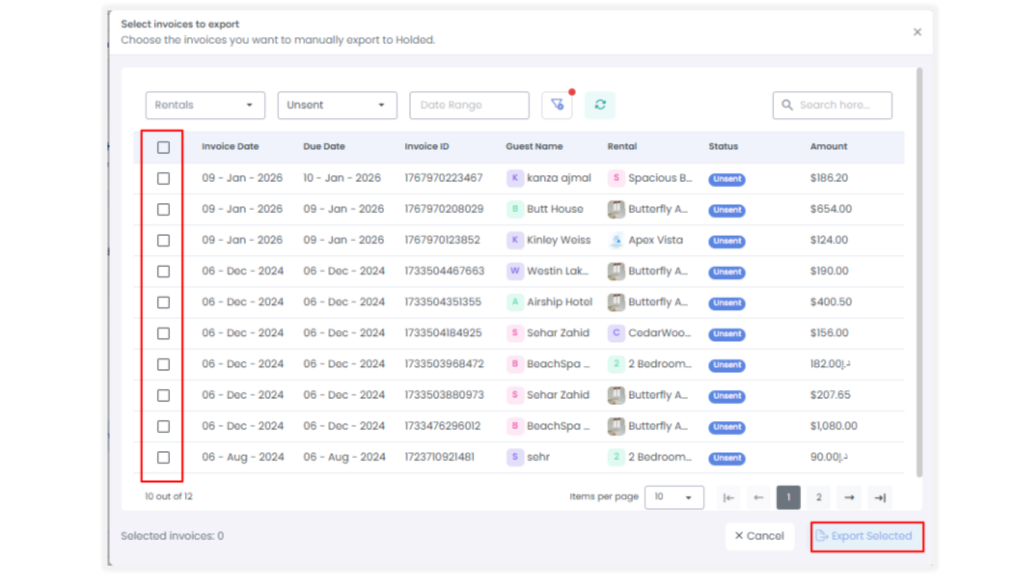
Holded receives each invoice according to its status in AdvanceCM:
| Invoice status in AdvanceCM | Where it appears in Holded |
|---|---|
| Paid | Payments module |
| Unpaid or overdue | Invoices module |
| Cancelled | Credit note |
Because status decides where each invoice lands, it helps to confirm that statuses are up to date before you sync rental invoices to Holded. The documented direction of sync is from AdvanceCM to Holded. Teams that keep their books in QuickBooks instead can read our guide to QuickBooks for property management, which covers AdvanceCM’s QuickBooks integration.
How to Set Up Holded to Sync Rental Invoices
Setup has two parts: create an API key in Holded, then enter it in AdvanceCM.
- In Holded, open Settings and go to the Developer section.
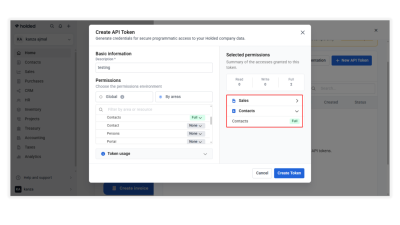
- Select Credentials and create a new API key. Give it Full permission for Sales (Invoices, Contacts).
- In AdvanceCM, log in and open the Integrations section.
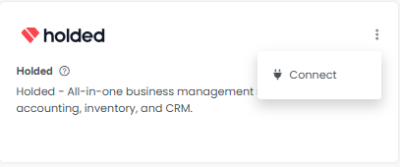
- Find Holded.com and select Connect.
- Enter the API key from Holded. When authorization is complete, Holded is connected to AdvanceCM.
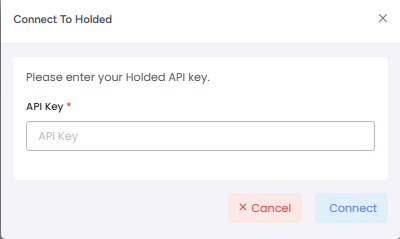
Once the Holded integration is connected, you can sync rental invoices with Schedule Export, and AdvanceCM can also send updates automatically. AdvanceCM’s help article on connecting Holded.com walks through the same steps and explains how to disconnect.
What Happens After Holded Approves an Invoice
One rule affects how you sync rental invoices: once an invoice has been approved in Holded, AdvanceCM cannot sync further updates to it. Changes made in AdvanceCM after approval do not reach the approved invoice, so any correction has to be made directly in Holded, following its invoice management rules.
AdvanceCM’s help documentation gives an example. An invoice for €500 is created in AdvanceCM and synced to Holded. Later, the invoice was updated in AdvanceCM to €550. If Holded has not approved the invoice yet, the €550 update can sync. If Holded has already approved it, the update does not sync.
The practical takeaway is to review and finalize each invoice in AdvanceCM before approving it in Holded. If you or your team edit invoices on the go, our overview of the AdvanceCM mobile app explains that its Invoices Module can create, edit, and send invoices, so make those final edits before the Holded approval.
What Spain’s Tax Agency Says About VeriFactu
VeriFactu is the common name for Spain’s regulation on invoicing systems, approved by Royal Decree 1007/2023. This section summarizes what Spain’s tax agency, the Agencia Tributaria (AEAT), says in its FAQ on invoicing systems. The AEAT pages are in Spanish, and this summary is not legal or tax advice.
- What it covers. The regulation sets requirements for the software used to issue invoices. It applies to businesses and professionals established in Spain that use such software.
- Exceptions. AEAT says it does not apply to businesses that invoice only by hand. It also excludes those enrolled in the SII (immediate supply of information) system and those with their tax domicile in the Basque Country or Navarre, among other cases.
- Rentals. One answer covers individuals who rent out property. It treats a tourist apartment rented with complementary services typical of the hotel industry as an economic activity. The invoices issued in that context fall within the regulation.
- Deadlines. As of September 2026, AEAT gives the deadlines as extended by Royal Decree-law 15/2025. Entities subject to corporate income tax must have their invoicing systems adapted before 1 January 2027. The remaining taxpayers in scope must do so before 1 July 2027.
For Spanish property managers, being able to sync rental invoices to Holded means invoices are managed in AdvanceCM, while Holded is used for local invoicing and VeriFactu requirements. Which of these points apply to your business is a question for your tax advisor. For a wider look at how e-invoicing and other local rules fit into a booking workflow, see our post on vacation rental compliance automation.
Next Step
To sync rental invoices, follow the five setup steps above. To see how AdvanceCM generates the invoices that the Holded integration syncs, visit the AdvanceCM Invoicing & Payments page.
FAQs
- Who is the Holded integration for?
AdvanceCM’s changelog announcement says it was designed for Spanish property managers. To sync rental invoices, you need a Holded account and an API key created there. - Can I sync rental invoices that already exist in AdvanceCM?
Yes. Manual sync is meant for this: open Schedule Export, choose the existing invoices, and select Export Selected. - Does the Holded integration sync data from Holded back into AdvanceCM?
AdvanceCM’s help documentation describes synchronization in one direction, from AdvanceCM to Holded. If an approved invoice needs to change, the change is made directly in Holded. - Does the Holded integration make my invoices VeriFactu-compliant?
AdvanceCM describes the integration as a way to keep invoicing in AdvanceCM while using Holded for VeriFactu requirements. Holded states that it is adapted to VeriFactu, but whether your setup meets your obligations depends on your business, so check with your tax advisor. - How do I disconnect Holded from AdvanceCM?
In AdvanceCM, go to Integrations, find Holded.com, and select Disconnect at the bottom left. Confirm with Yes Proceed, and AdvanceCM stops syncing invoice updates to that Holded account.

Welcome to Tokeet’s Podcast — your trusted source for insights, trends, and strategies shaping the vacation rental industry. Each episode features expert interviews, data-driven analysis, and practical tips to help property managers grow their businesses, improve guest experiences, and stay ahead in a rapidly evolving market. Whether you’re new to short-term rentals or managing a large portfolio, tune in to stay informed and inspired.
Some days just don’t work for a guest arrival, whether it’s a holiday, a maintenance window, or a turnover day your team can’t cover. This episode walks through check-in and check-out restrictions, the most requested feature in AdvanceCM, now live in the Rentals module. You’ll hear how to block arrivals or departures for a date range, such as December 24 to 26, and how to allow check-ins only on the weekdays you choose. We also cover channel-specific rules, like keeping Airbnb to Friday and Saturday arrivals while direct bookings stay open through Sunday. Finally, we explain what to check before switching rules on, from existing reservations to sync time and visibility on booking sites.
Key Takeaways:
✅ Block check-ins or check-outs for any date range
✅ Limit arrivals to the weekdays you choose
✅ Set different rules for each booking channel
✅ Existing reservations stay unchanged
✅ More restrictions mean fewer guests can book, so review rules each season
Related Links:
Company: https://www.tokeet.com/Blogs: https://www.tokeet.com/blog/Blog: Check-in and Check-out Restrictions: How to Set Them in AdvanceCM 👉 https://blog.tokeet.com/check-in-and-check-out-restrictions/
This is a public episode. If you would like to discuss this with other subscribers or get access to bonus episodes, visit podcast.tokeet.com


