
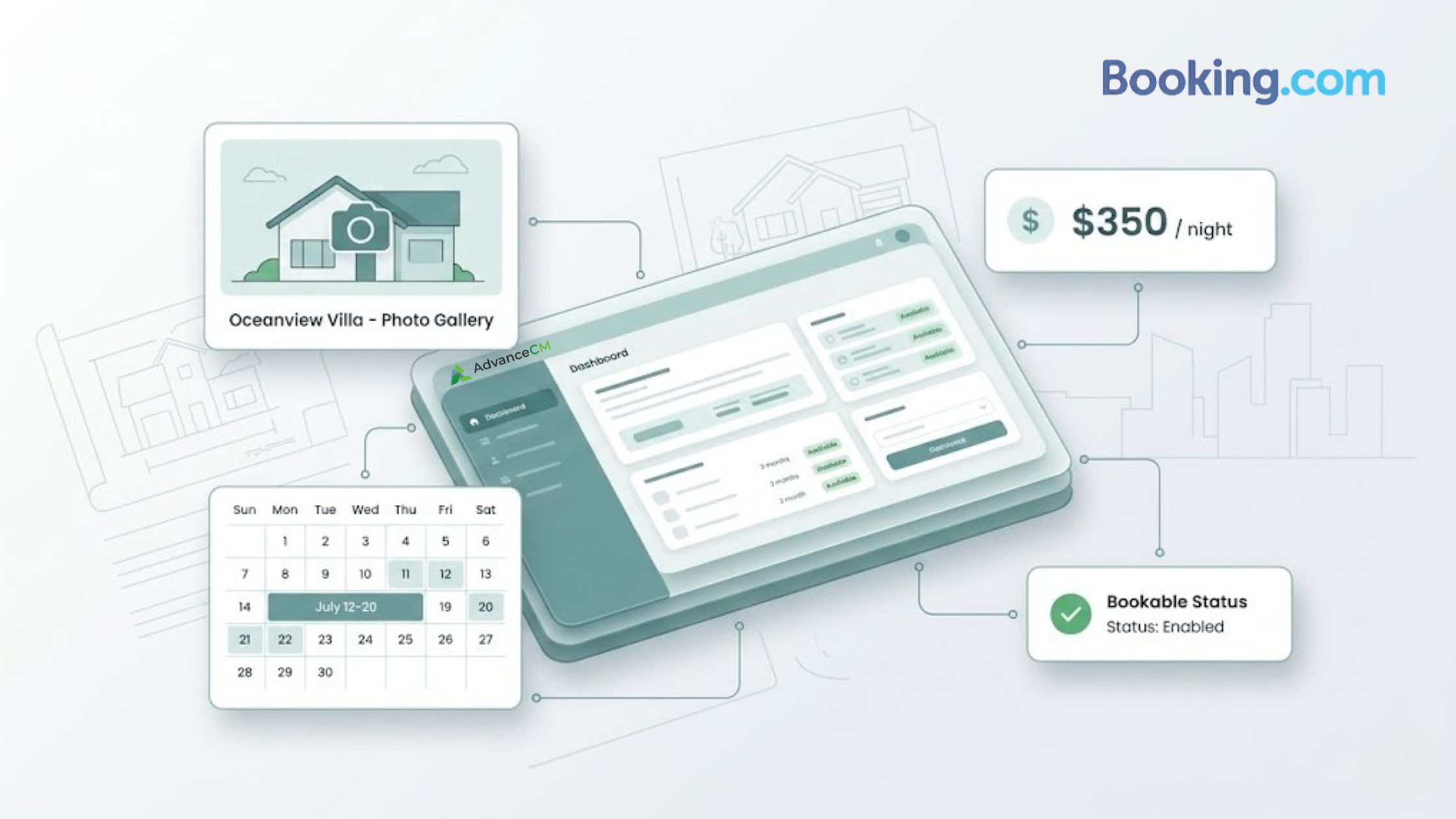
To connect new properties to Booking.com faster, property managers need to control the work that happens before the setup screen opens. A property may be cleaned, photographed, priced, and ready for guests, but if the listing is not bookable yet, the launch is still unfinished.
That gap matters because Booking.com can only help a property capture demand once the listing is live, visible, and ready to accept reservations. You can review the platform’s role in global travel on Booking.com’s official about page.
To connect new properties to Booking.com faster, prepare the property record first, confirm rates and availability, follow Booking.com’s partner setup flow, use Quick Connect and Auto Confirm where available, and verify that the listing is bookable before moving to the next unit.
Why Booking.com Property Onboarding Speed Matters
A fast launch is not just a setup win. It shortens the gap between “this property is ready” and “guests can reserve it.” For property managers handling multiple units, that gap can turn into repeated admin drag if every listing needs manual chasing, missing details, or extra follow-up before it goes live.
The key distinction is simple: connected does not always mean bookable. A connected listing may be linked, mapped, or moving through setup. A bookable listing can be found by guests, shows accurate dates and pricing, displays the right policies, and allows a reservation to be completed.
That difference becomes more important as portfolios grow. One delayed property may feel manageable. A repeatable delay across 20, 50, or 100 units becomes an operating problem. The team does not just lose time; it builds a slower launch pattern into the business.
Channel work also becomes harder when tasks are spread across different tools, tabs, and inboxes. Tokeet’s article on what a booking channel manager does explains how channel managers help consolidate listing channels into one operating layer.
How to Connect New Properties to Booking.com Faster
Before anyone starts Booking.com setup, confirm that the launch inputs are ready. This includes the property name, full address, property type, unit type, room setup, bed setup, occupancy, amenities, house rules, check-in details, photos, rates, fees, taxes, cancellation policy, payment rules, and opening availability.
Booking.com’s onboarding solutions also point to the same operational areas that slow teams down: property details, facilities and services, policies, licenses, property management, charges, and content workflows. Treat those as launch inputs, not last-minute cleanup.
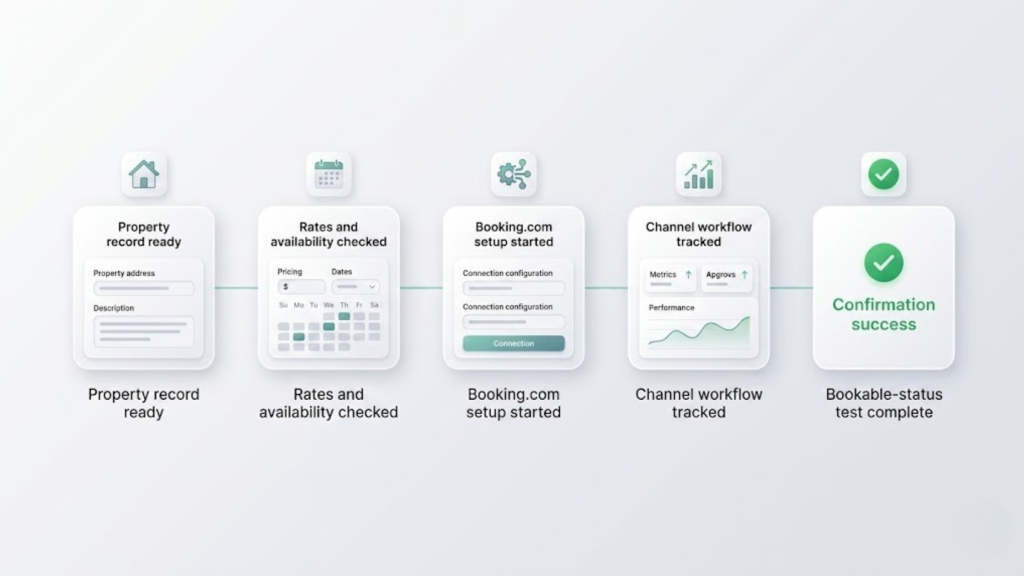
A repeatable Booking.com launch workflow helps property managers move from property record setup to rates, channel tracking, and final bookable-status confirmation.
Assign one launch owner for each property. That person does not need to complete every task alone, but they should own the final question: can a guest book this property now? Without one owner, the final check often gets assumed instead of verified.
1. Prepare the Property Record First
Do not start with an empty listing shell. Build the property record before setup begins so the person handling onboarding does not have to chase missing details halfway through the process.
The record should include the listing name, address, property type, unit layout, bed setup, maximum occupancy, amenities, parking rules, pet rules, smoking rules, check-in window, check-out time, cancellation policy, fees, taxes, and photos. This makes the process easier to repeat when you connect new properties to Booking.com in batches.
For vacation rentals, add the details that often affect guest readiness: key collection method, damage deposit rules, house rules, and any property-specific arrival instructions. Booking.com’s Vacation Rental Essentials page highlights these as important setup areas for vacation rental properties.
2. Confirm Rates, Availability, and Policies
Rates and availability are not cleanup items. They are launch requirements. Before setup begins, confirm the nightly rate, minimum stay, cleaning fee, extra guest fees, tax rules, blocked dates, seasonal changes, first available booking date, cancellation policy, and payment expectations.
This prevents a common launch problem: the listing moves through setup, but it is not ready to accept reservations because the calendar, pricing, or policy settings still need review.
3. Follow Booking.com’s Partner Setup Flow
Booking.com’s partner setup flow walks operators through key registration steps, including account creation, property type, property name, location, and connection steps. Use that process as the source of truth when adding a new property.
Before setup begins, review Booking.com’s property registration guidance so the team knows what the platform expects before the listing can move forward.
4. Use Quick Connect and Auto Confirm Where Available.
Quick Connect works best when the property record is already complete. If the team still needs photos, fees, taxes, policies, or rate rules, a faster connection will not fix the launch. It will only move the delay to the next step.
Auto Confirm is useful for repeatable confirmations, not judgment calls. Keep human review on guest-facing risk points such as pricing, availability, policies, fees, occupancy, and photos. Routine confirmations should move; risk checks should stay visible.
5. Centralize the Channel Workflow
Instead of tracking Booking.com setup, rate checks, availability updates, and connection follow-ups across separate tabs, teams can use AdvanceCM’s channel manager to keep channel work in one place and make the next step visible before a listing stalls.
The workflow shift is practical: one place to see what still needs attention, one owner for the next step, and one final review before the property is considered launched.
For the setup walkthrough, use this step-by-step help article on how to connect to AdvanceCM via the Booking.com extranet before marking the channel workflow complete.
6. Run the Bookable-Status Test
Do not close the task when the property is only connected. Close it when the listing is bookable.
Before the property is marked complete, check the guest path like a traveler would. Confirm that the listing can be found, the right dates are available, the price displays correctly, fees and policies are visible, photos match the right unit, and a guest can complete the reservation path.
If the property uses a request-based booking flow, the final check should also confirm who receives the request, who accepts or declines it, and how quickly that handoff happens. Booking.com’s Request to Book API explains the request flow, including the review step before a booking is accepted or declined.
This is the finish line. To connect new properties to Booking.com faster, teams need a final check that matches the business goal: guests can book.
Mistakes That Slow Booking.com Setup
Starting setup before the property record is complete often creates more work later. The team may still need to chase photos, confirm fees, check the cancellation policy, or wait for rate approval. That turns onboarding into a stop-start process instead of a clean launch workflow.
Another mistake is treating approval delays as normal. Some approvals are necessary, especially when they protect the guest experience. But if the same handoff slows every property, it should be moved earlier in the checklist, assigned to a clear owner, or handled with Auto Confirm where appropriate.
The most costly mistake is assuming connection means launch. A property may look complete from the team’s side, but the guest path still needs to be checked. The final question—”Can guests book this? ” — should be written into the workflow, not left to memory.
For broader channel planning, Tokeet’s guide to channel manager integrations explains how rate, availability, and booking updates can be managed across connected platforms.
Tokeet’s article on listing an Airbnb on Booking.com is also useful for teams thinking about Booking.com as part of a wider channel mix.
Conclusion
The fastest teams do not treat Booking.com property onboarding as a one-time admin task. They treat it as a launch lane: prepare the inputs, confirm the commercial settings, reduce routine approvals, check the guest-facing path, and repeat the same process for every unit.
For teams managing Booking.com alongside other channels, AdvanceCM’s channel manager gives property managers a clearer place to track launch work without turning every new property into a manual follow-up chain.
The goal is to connect new properties to Booking.com with fewer delays between “ready to launch” and “ready to book.” When the workflow is repeatable, every new property has a cleaner path to market.
FAQs
- What does it mean for a Booking.com property to be bookable?
A property is bookable when guests can find it, select dates, view the price, and complete a reservation. It is not enough for setup to be started or for the property to be connected in the background. - What slows down Booking.com property onboarding?
Common blockers include missing listing details, incomplete rates, unclear policies, manual approval loops, and no final bookable-status check. These delays grow when teams add several properties at once. - How does Quick Connect help when adding Booking.com properties?
Quick Connect can reduce setup friction when the property record is already complete. It works best after the team has prepared rates, availability, policies, photos, fees, and taxes. - What should I prepare before adding a new Booking.com property?
Prepare the property name, address, unit details, occupancy, amenities, photos, fees, taxes, cancellation policy, rates, and availability. For vacation rentals, also confirm key collection, damage deposit rules, house rules, and arrival instructions. - Why does faster Booking.com onboarding matter for property managers?
Faster onboarding reduces the gap between acquiring a property and making it available to guests. For multi-property teams, that repeatable speed helps new inventory move toward bookable status without rebuilding the process each time.

Welcome to Tokeet’s Podcast — your trusted source for insights, trends, and strategies shaping the vacation rental industry. Each episode features expert interviews, data-driven analysis, and practical tips to help property managers grow their businesses, improve guest experiences, and stay ahead in a rapidly evolving market. Whether you’re new to short-term rentals or managing a large portfolio, tune in to stay informed and inspired.
Some days just don’t work for a guest arrival, whether it’s a holiday, a maintenance window, or a turnover day your team can’t cover. This episode walks through check-in and check-out restrictions, the most requested feature in AdvanceCM, now live in the Rentals module. You’ll hear how to block arrivals or departures for a date range, such as December 24 to 26, and how to allow check-ins only on the weekdays you choose. We also cover channel-specific rules, like keeping Airbnb to Friday and Saturday arrivals while direct bookings stay open through Sunday. Finally, we explain what to check before switching rules on, from existing reservations to sync time and visibility on booking sites.
Key Takeaways:
✅ Block check-ins or check-outs for any date range
✅ Limit arrivals to the weekdays you choose
✅ Set different rules for each booking channel
✅ Existing reservations stay unchanged
✅ More restrictions mean fewer guests can book, so review rules each season
Related Links:
Company: https://www.tokeet.com/Blogs: https://www.tokeet.com/blog/Blog: Check-in and Check-out Restrictions: How to Set Them in AdvanceCM 👉 https://blog.tokeet.com/check-in-and-check-out-restrictions/
This is a public episode. If you would like to discuss this with other subscribers or get access to bonus episodes, visit podcast.tokeet.com


