

If you host long enough, you’ll build an Airbnb guest review strategy whether you mean to or not. You rely on glowing reviews for bookings and Superhost, but one angry guest can tank your rating or trigger a dispute you didn’t ask for.
Between “blind” reviews, the 14-day window, and fear of revenge 1-star reviews, most hosts either freeze, sugarcoat, or avoid reviewing at all. This guide gives you a practical Airbnb guest review strategy you can actually follow: clear timing rules, calm wording, simple documentation habits, and a way to turn reviews from landmines into just another small task in your hosting workflow.
What’s a safe Airbnb guest review strategy?
A practical Airbnb guest review strategy means you follow the same rules every time a stay goes wrong. Use the review email or countdown as your real 14-day timer; delay reviews only when emotions are high and issues are minor, and review fast for safety or serious damage. Write short, factual, behavior-based comments, and keep all evidence in one place so you’re ready if a retaliatory review appears.
Airbnb Guest Review Strategy Starts With How Reviews Really Work
On paper, the Airbnb review system is simple: hosts and guests each get 14 days after checkout to write their review, and neither side can see the other’s text until both are submitted or the 14 days expire. The Airbnb Help Center confirms that reviews for homes are only published once both sides have written them or once the time limit ends, whichever comes first.
In reality, it can feel less “blind” than it sounds. Guests may get notifications that you’ve reviewed them, or they simply infer it from the app and timing, and upset guests often react quickly when they sense a negative review is coming. That’s what makes honest feedback feel risky: you want to warn other hosts, but you don’t want to invite revenge.
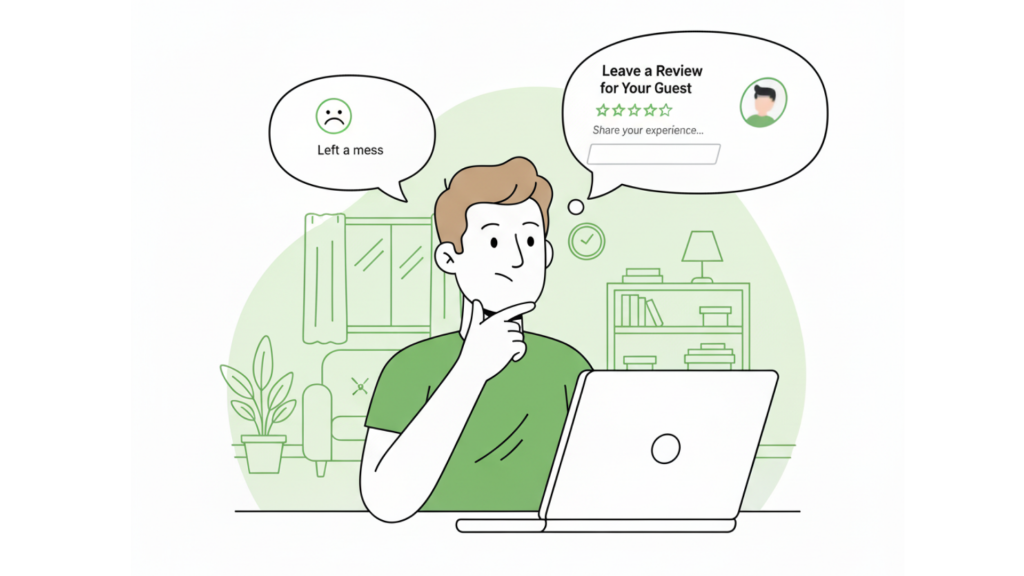
Trying to be honest without inviting a revenge review is the reality for most hosts and property managers
Before / After: How a Real Strategy Changes Things
Before:
- Guessing when the review window closes
- Avoiding negative reviews to “keep the peace”
- Writing emotional, one-off rants when you’re tired or angry
After:
- Clear rules on when to review and when to wait
- Short, reusable phrases that describe behavior, not personalities
- A simple playbook you and your team follow every time a stay goes wrong
If you want a deeper dive into damage control, pair this article with How to Respond to Unfair Guest Reviews and Protect Your Rating, which focuses on what to do after a bad review lands on your profile.
Timing Your Airbnb Guest Reviews Without Fueling Retaliation
Most hosts know about the 14-day window, but the exact start and end time can feel fuzzy. Airbnb explains that you’ll usually get an email on the morning of checkout prompting you to leave a review, and that the 14-day limit starts from that email, not from the exact checkout time.
Airbnb also notes that reviews are published only once both sides submit or the time runs out.
Think about a guest who smoked inside, argued over the cleaning fee, and then hinted they’d “leave a bad review” if you charged it. In those moments, the review window and timing stop being abstract rules and start feeling like a countdown on your rating.
That’s why some hosts see odd cut-off times (like 3:35 p.m. on day 14 instead of 11:00 a.m.). The system uses its own internal clocks and email timestamps, so trying to line it up perfectly with your check-in and checkout hours just makes it feel inconsistent.
Simple timing rules you can actually use
- Treat the first “leave a review” email as your real start time.
- Use the countdown in the message thread if you see one and assume that’s the live timer.
- Don’t cut it to the last minute. Airbnb may allow a small buffer, and you don’t want to discover quirks with seconds to go.
Many hosts delay negative reviews until late in the window, hoping there’s less time for an angry guest to react. That’s a valid defensive move, but not magic: if someone is truly upset, they’ll usually leave a review whether you post on day 2 or day 14. For high-risk cases (threats, extortion, “I’ll leave a bad review if…”), you may find more tactical advice in 5 Proven Ways to Handle Retaliatory Airbnb Guest Reviews.
Step-by-Step Airbnb Guest Review Strategy for Problem Stays
Here’s a simple Airbnb guest review strategy you can run every time something goes wrong.
- Decide how bad it really was.
Separate annoyances (mild mess, minor lateness) from issues that affect safety, money, or your ability to host (extra unpaid guests, smoking, threats, severe damage). This stops you from overreacting to small stuff and underreacting to real risks. - Document everything on-platform.
Keep as much as possible inside Airbnb messages, and add photos and timestamps there. That way, if a dispute or retaliatory review happens, support can see the full context in one place. - Choose your timing based on risk.
For emotional but low-severity stays (arguments over rules, stubborn guests), consider waiting until late in the window before reviewing. For serious violations, review promptly and focus on clarity and proof rather than clock-watching. - Write a factual, behavior-based review.
Describe what happened, how it affected the stay, and whether you’d host them again—without name-calling. Think “ignored the no-smoking rule; extra cleaning required” instead of “rude and disrespectful.” - Align your stars and ‘would host again’ flag.
Your text, star ratings, and “would host again” setting should all tell the same story. Mixed signals (“great guest!” but 3 stars and a thumbs down) confuse everyone and make your Airbnb guest review strategy harder to trust. - Log the incident for your own records.
Keep a simple note system so you can spot patterns with repeat problem guests across multiple listings or accounts. That’s how you move from one-off fires to a real, repeatable strategy.
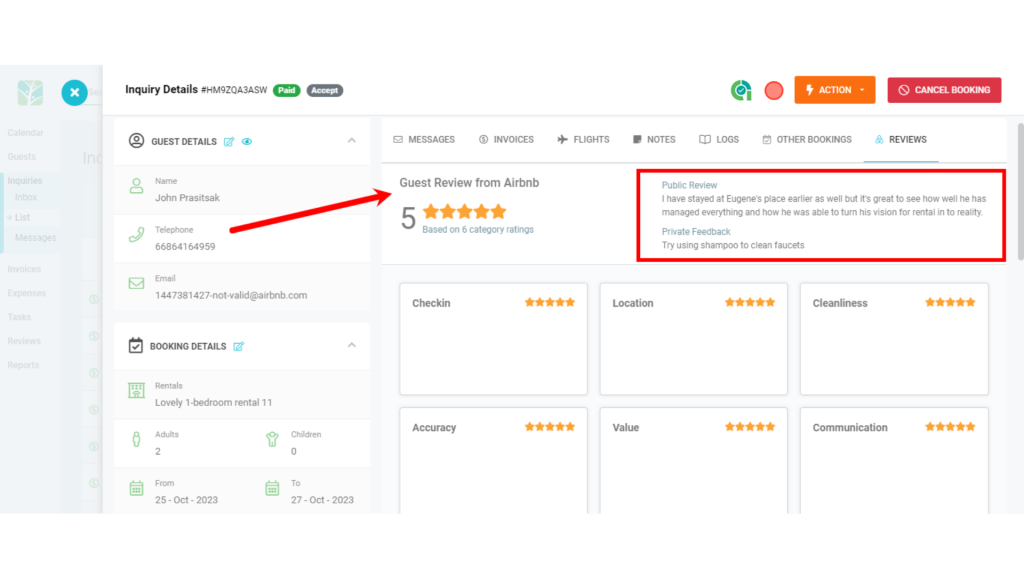 Clear, behavior-based wording helps protect your business and warn other hosts without sounding emotionalYou don’t need new tools to start—just fix the edge cases first.
💬 If you’d like to review decisions to take seconds instead of minutes, consider keeping all guest messages, notes, and incidents in a single unified timeline so you’re not hunting through screenshots every time you sit down to write a review. See how a unified inbox keeps every incident in one place.
What to Say: Factual Templates That Don’t Invite Drama
The reviews that cause the most drama are usually the ones that sound like a personal attack: “rude,” “entitled,” “the worst guest we’ve ever had.” A calmer Airbnb guest review strategy focuses on behaviors and impact: what rules they broke, what it cost you, and whether you’d host them again.
Try phrases like:
- “The guest did not follow the no-smoking rule; extra cleaning was required after checkout.”
- “Communication was challenging; multiple reminders were needed for house rules and checkout time.”
- “Property was left significantly messier than usual; would not host this guest again.”
- “Guests exceeded the agreed occupancy and did not respond to messages; reservation was reported to Airbnb.”
Over time, keeping a small library of phrases like these makes your Airbnb guest review strategy easier to stick to because you’re not rewriting your emotions from scratch each time. Research in hospitality shows that online reviews—especially negative ones, have a strong influence on booking decisions and trust, so consistent, honest wording matters for your long-term occupancy. Here’s one example from a tourism and hospitality journal.
Documentation, Tools, and Scaling Your Review Playbook
Your public review warns other hosts; your documentation protects you. Whenever there’s an issue, keep as much as possible on Airbnb (messages, photos, resolution-center claims) so support can see exactly what happened if a retaliatory review appears later.
If you manage multiple listings or work with a team, it’s easy for details to get lost in WhatsApp chats and ad-hoc notes. That’s where a centralized workflow helps: some hosts connect their channels into a unified inbox so every message, flag, and follow-up lives in the same place as the reservation. Instead of digging through apps, they can scan the conversation and write their review in seconds, because all the context is already there.
For automation and templates, you can also look at Automate Your Host-To-Guest Reviews With AdvanceCM, which shows how some hosts standardize the “good stay” side of the process so they have more energy left for the tricky ones.
💬 If you’re starting to juggle more than a couple of listings, it may be worth centralizing your messaging and notes so every review decision is based on a full, documented history. Try a unified inbox built for short-term rentals.
Conclusion
At the end of the day, understanding how blind reviews, notifications, and the Airbnb review window actually behave is the backbone of any solid Airbnb guest review strategy. Your goal isn’t to game the system; it’s to stay honest, consistent, and well-documented so one unreasonable guest can’t derail your business.
Decide when you’ll wait, when you’ll review fast, and what phrases you’ll use, then write those rules down so you’re never improvising under stress. With a simple process and your notes organized, every review becomes just another quick step in running a professional, low-stress hosting operation—not a landmine you tiptoe around.
💬 If you want your review playbook to run the same way across all your listings and team members, it helps to put messages, incidents, and notes in one shared place. Explore a unified inbox that keeps every guest conversation connected to the booking.
FAQs
- Should I always leave a review after a bad stay?
A: Yes. Honest, factual reviews help other hosts decide whether to accept that guest and protect your own future stays, especially when your wording is calm and specific rather than emotional. - Can a guest tell if I marked that I wouldn’t host them again?
A: They can’t see the exact text until the review goes live, but they may still receive notifications or infer that they’ve been reviewed, so assume they might sense something was negative and keep your language neutral. - Is it safer to skip reviewing difficult guests altogether?
A: Skipping reviews may feel safer in the moment, but it lets problem guests move on with a clean record, which hurts other hosts and doesn’t prevent them from reviewing you anyway. - How can I write a negative review without sounding harsh?
A: Focus on behaviors and impact: which rules were broken, what extra work or cost it caused, and whether you’d host them again, instead of judging their personality or intent. - Can software really help me manage reviews and guest communication?
A: Yes—centralizing your messages, notes, and incidents makes it much easier to follow your Airbnb guest review strategy consistently, because you’re always working from a clear, complete record of what actually happened.

Welcome to Tokeet’s Podcast — your trusted source for insights, trends, and strategies shaping the vacation rental industry. Each episode features expert interviews, data-driven analysis, and practical tips to help property managers grow their businesses, improve guest experiences, and stay ahead in a rapidly evolving market. Whether you’re new to short-term rentals or managing a large portfolio, tune in to stay informed and inspired.
Some days just don’t work for a guest arrival, whether it’s a holiday, a maintenance window, or a turnover day your team can’t cover. This episode walks through check-in and check-out restrictions, the most requested feature in AdvanceCM, now live in the Rentals module. You’ll hear how to block arrivals or departures for a date range, such as December 24 to 26, and how to allow check-ins only on the weekdays you choose. We also cover channel-specific rules, like keeping Airbnb to Friday and Saturday arrivals while direct bookings stay open through Sunday. Finally, we explain what to check before switching rules on, from existing reservations to sync time and visibility on booking sites.
Key Takeaways:
✅ Block check-ins or check-outs for any date range
✅ Limit arrivals to the weekdays you choose
✅ Set different rules for each booking channel
✅ Existing reservations stay unchanged
✅ More restrictions mean fewer guests can book, so review rules each season
Related Links:
Company: https://www.tokeet.com/Blogs: https://www.tokeet.com/blog/Blog: Check-in and Check-out Restrictions: How to Set Them in AdvanceCM 👉 https://blog.tokeet.com/check-in-and-check-out-restrictions/
This is a public episode. If you would like to discuss this with other subscribers or get access to bonus episodes, visit podcast.tokeet.com


