
Announcing Webready
We are excited to announce the release of Webready, the latest addition to Tokeet’s suite of products! With Webready, your website can become your primary booking channel!
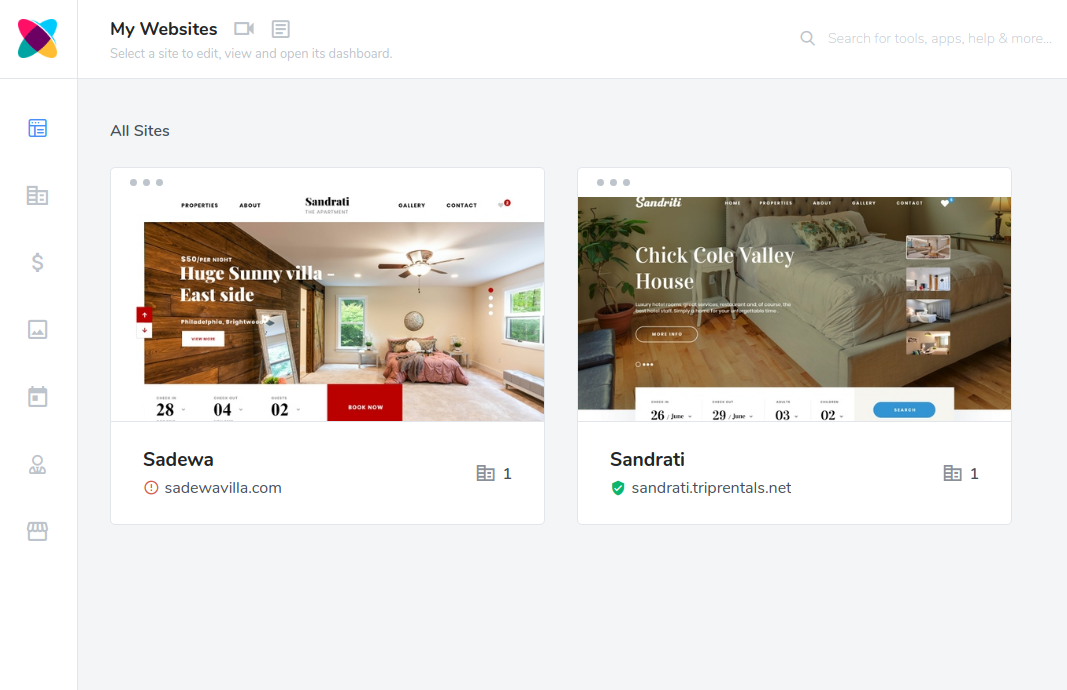
What is Webready?
Webready is our new, easy to use website builder that allows anyone to create a professional-looking website for their short term rental. Webready has been purpose-built to be the best website creator for the short-term rental industry. We’ve carefully combed through every feature and functionality to ensure it covers all your needs. Best yet, webready is the only website builder in the industry that features our Live Edit technology. With Live Edit, you can edit your website in-line and see it as it would appear to your guests.
How is Webready different from Tokeet’s Web builder?
Webready is a completely new application built from scratch to be better than any other website builder on the market. It does not share any components with Tokeet Website Builder and is not intended to replace Tokeet Website Builder. However, we hope that our users love Webready enough to switch to it. Webready does have a vast number of new and exciting features which separates it from the original Tokeet Website Builder. Some of the new features of Webready include:
- Live Edit allows you to see the website exactly as it would be while editing
- New templates to choose from for your single and multiple rental websites
- A quick and simple SSL process to securing your website
- Free shared domains with SSL included
- An easy domain purchase process and custom domain setup
- Responsive design for mobile and other device sizes
- Super easy edit of website menu and pages
- Built-in coupon code feature
- Rates management
- SEO
- Improved Analytics and Tracking
Please note that you cannot automatically migrate from Tokeet Website Builder to Webready. Users must create their new websites on Webready from scratch.
How can I get Webready?
Current Tokeet users can login to Webready today. You may also auto-login from within TV3 or Sympl CM by clicking the Add-Ons top menu option, then selecting Webready. Webready is also available as an add on product on our Tokeet App Store. Anyone can use Webready with or without a TV3 subscription. Webready was built so that anyone using any channel manager can still use it. It can be used as a standalone product that manages rates or along with TV3 or Sympl CM. Other products can also be added to Webready to further extend it, such as Rategenie and Automata.
How much does Webready cost?
Webready is a separate product within the Tokeet product suite. Please click here to learn more about Webready Pricing.
If you have any questions please contact our support team.

Welcome to Tokeet’s Podcast — your trusted source for insights, trends, and strategies shaping the vacation rental industry. Each episode features expert interviews, data-driven analysis, and practical tips to help property managers grow their businesses, improve guest experiences, and stay ahead in a rapidly evolving market. Whether you’re new to short-term rentals or managing a large portfolio, tune in to stay informed and inspired.
Some days just don’t work for a guest arrival, whether it’s a holiday, a maintenance window, or a turnover day your team can’t cover. This episode walks through check-in and check-out restrictions, the most requested feature in AdvanceCM, now live in the Rentals module. You’ll hear how to block arrivals or departures for a date range, such as December 24 to 26, and how to allow check-ins only on the weekdays you choose. We also cover channel-specific rules, like keeping Airbnb to Friday and Saturday arrivals while direct bookings stay open through Sunday. Finally, we explain what to check before switching rules on, from existing reservations to sync time and visibility on booking sites.
Key Takeaways:
✅ Block check-ins or check-outs for any date range
✅ Limit arrivals to the weekdays you choose
✅ Set different rules for each booking channel
✅ Existing reservations stay unchanged
✅ More restrictions mean fewer guests can book, so review rules each season
Related Links:
Company: https://www.tokeet.com/Blogs: https://www.tokeet.com/blog/Blog: Check-in and Check-out Restrictions: How to Set Them in AdvanceCM 👉 https://blog.tokeet.com/check-in-and-check-out-restrictions/
This is a public episode. If you would like to discuss this with other subscribers or get access to bonus episodes, visit podcast.tokeet.com


